

32-bit or 64-bit screenshots (4)
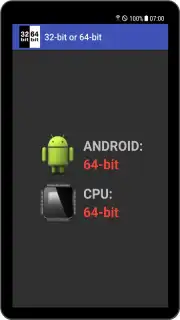
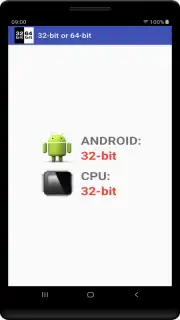
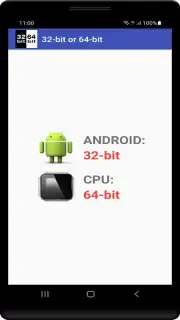
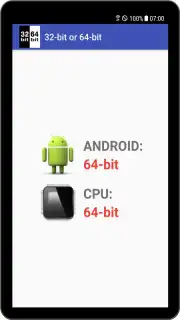
Description 32-bit or 64-bit
Ever wondered why some apps run flawlessly on your phone while others stutter or refuse to open? The secret often lies in the architecture of your device and the apps themselves. Is your phone's processor 32-bit or 64-bit? Which apps are built for which system? Knowing this is the key to unlocking smoother performance and compatibility. This essential tool cuts through the technical confusion instantly.
Core Functionality & System Insights
This app provides an immediate, crystal-clear analysis of your Android device's core architecture. With a single tap, it performs a deep system check to reveal your processor's bit version—whether it's 32-bit, 64-bit, or a hybrid architecture. But it doesn't stop there; it extends its analysis to every application installed on your device. The tool scans your entire app library, categorizing each one as either a 32-bit or 64-bit build. This gives you a complete, at-a-glance overview of your system's software ecosystem, allowing you to identify potential performance bottlenecks or compatibility issues before they cause problems.
Beyond simple detection, the app serves as a vital resource for making informed decisions. Before you download a new app or game, you can understand its architectural requirements. This knowledge helps you avoid installations that will crash or perform poorly on your specific hardware. For power users and developers, this information is crucial for troubleshooting, optimizing device performance, and ensuring a stable, efficient Android experience. The interface is designed for clarity, presenting complex technical data in an intuitive, color-coded, and easily digestible format.
Key Advantages of the System Analyzer
- Instant Processor & OS Bit Check
- Full Installed App Architecture Scan
- Clean, Ad-Free User Interface
- No Root Access Required
- Lightweight & Extremely Fast
We suggest trying 32-bit or 64-bit to take full control of your device's capabilities. Stop guessing about compatibility and start optimizing your phone's performance with precise, actionable system intelligence. Consider downloading it today for a smarter, smoother Android experience.
Download the mobile app now to get started.
This application requires an internet connection for initial data verification. The core device analysis functions offline. This is a free tool; no in-app purchases are required.
Information
| Version | 7 |
| Developer | tech-c.net |
| Requirements | Android Android + 5.0+ |
| Updated | 17.03.2026 |
| Size | 736.43 KB |
| Package | net.techc.is64bitos |
| Signature | e0e69bb358649a6ebbf7b6118dbb3d8f |
| Architecture | universal |


