


4Sync screenshots (9)



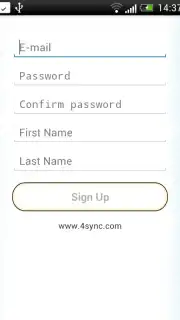

Description 4Sync
Looking for a streamlined method to synchronize and manage files directly from your Android device without relying on a desktop intermediary?
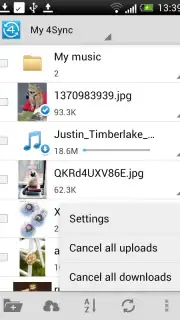
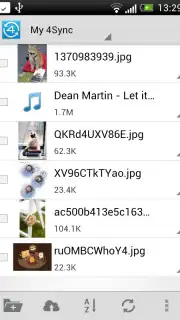
4Sync operates as a centralized file management platform designed to maintain document, photo, music, and video libraries in a consistent state across multiple devices. The core functionality is built around automated synchronization, ensuring that any addition, deletion, or modification performed on one linked device is reflected on all others. This eliminates the common problem of working with outdated file versions and creates a unified digital workspace accessible from smartphones, tablets, and computers. The application's architecture is focused on providing constant data availability, which is particularly critical for users who need to access project files or media collections while away from a primary workstation.
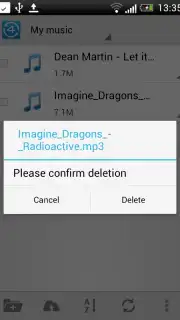
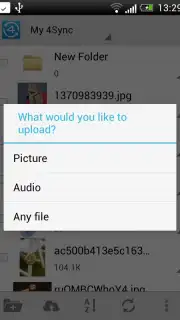
The utility extends beyond simple storage to active file handling. Users can upload, download, organize, and manage content directly within the mobile interface, effectively replacing the need for a computer for basic file operations. A significant feature is the integrated sharing system, which allows for the rapid distribution of documents or multimedia to colleagues, clients, or personal contacts. This facilitates collaborative workflows and communication by removing the delays associated with email attachments or third-party transfer services. The interface is structured to simplify these processes, with clear navigation paths for synchronization control, file sharing, and local device management.
For users requiring an ad-free environment and enhanced performance, the application offers a Turbo mode. This optional upgrade typically provides increased transfer speeds, advanced sharing options, and potentially greater storage management capabilities, focusing on improving productivity for power users.
Core Operational Features
- Enables automated real-time file sync across mobile and desktop devices
- Provides direct upload and download management from the Android interface
- Centralizes documents, photos, music, and videos in a single accessible hub
- Facilitates instant file sharing with collaborators via shareable links
- Offers a Turbo mode for increased speeds and an ad-free user experience
The application positions itself as a practical solution for maintaining an updated and continuous digital workflow, targeting users who prioritize accessibility and synchronization in their file management strategy.
Get your files in sync and accessible everywhere—download the mobile app now.
Internet required. IAP available.
Information
| Version | 4.41.0 |
| Developer | 4sync Inc. |
| Requirements | Android Android + 5.0+ |
| Updated | 17.03.2026 |
| Size | 14.24 MB |
| Package | com.forsync |
| Signature | ea7bb50ff63206931e81c545963b7ff4 |
| Architecture | universal |


