

AA AIO Tweaker screenshots (5)
Description AA AIO Tweaker
Ever wished your Android Auto experience wasn't locked down by default settings? AA AIO Tweaker unlocks the hidden potential of your in-car system, transforming a standard interface into a personalized command center tailored to your exact preferences.
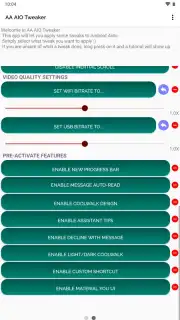
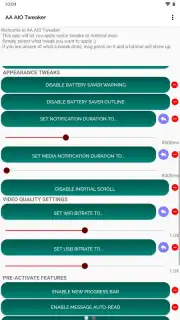
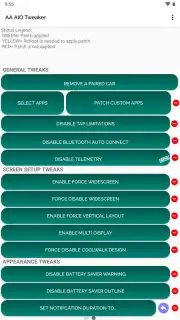
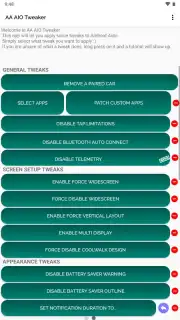
AA AIO Tweaker is a comprehensive utility application designed for advanced customization of Android Auto. It provides direct access to developer and experimental flags, allowing you to modify system behavior, interface elements, and connectivity options that are not available through standard menus. The app functions by applying specific configuration tweaks to the Android Auto component on your phone, enabling changes that persist across your driving sessions. You can adjust parameters related to screen resolution, force enable or disable specific features, and modify the startup behavior of the system for a faster, more reliable connection with your vehicle's head unit.
The application operates through a clean, categorized interface that groups tweaks by functionality, such as UI Mods, Developer Settings, and Bug Fixes. It includes a backup and restore function for your configuration profile, allowing you to experiment with settings and revert to a known stable state if necessary. The tool requires no complex rooting procedures, applying changes directly through ADB commands facilitated by the app's own guidance. It is designed for users who seek to resolve compatibility issues, enable widescreen support on unsupported displays, or simply remove artificial limitations imposed by the stock Android Auto build.
- Unlock hidden developer settings
- Modify screen resolution and DPI
- Force enable widescreen display modes
- Backup and restore your custom profiles
Take control of your dashboard and configure Android Auto to work your way. Download the mobile app now and start your personalized setup.
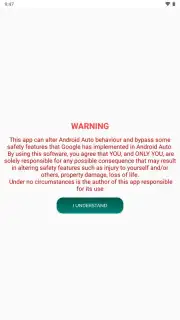
A stable internet connection may be required for certain functionality and to access the latest tweak databases. This app facilitates system modifications and should be used with an understanding of the changes being made.
Information
| Version | 5.2.2 |
| Developer | Gabriele Rizzo |
| Requirements | Android Android + 6.0+ |
| Updated | 17.03.2026 |
| Size | 12.85 MB |
| Package | sksa.aa.tweaker |
| Signature | 948d6f70a19eaea5080e3afd36cd5ad2 |
| Architecture | universal |


