


AC Remote Control Pro screenshots (7)


Description AC Remote Control Pro
A Practical Review of AC Remote Control Pro
Imagine misplacing your air conditioner's physical remote just as the room temperature begins to climb. This common frustration is precisely what the AC Remote Control Pro application by Code Cookies aims to solve. It transforms a compatible smartphone into a universal infrared remote, designed to operate a wide array of air conditioning units. This review examines its functionality, compatibility, and day-to-day utility as a business and convenience tool, based on its technical specifications and operational mechanics.
Core Functionality and Interface Design
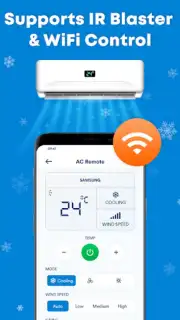
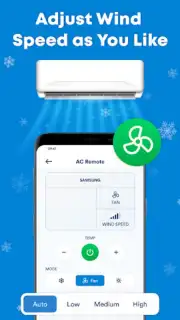
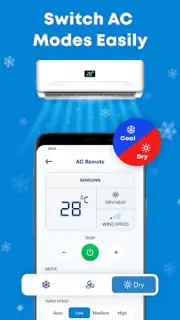
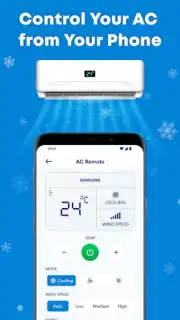
The application serves as a software-based remote control, emitting infrared signals through a device's built-in IR blaster. Its primary interface replicates the layout of a standard physical remote, presenting digital buttons for all essential commands. Users can adjust the target temperature, cycle through operational modes such as Cool, Dry, Auto, and Fan, and modify the fan speed intensity. The design prioritizes clarity over aesthetic flair, with logically grouped controls and readable labels to minimize operational errors during use. The process involves selecting your AC brand and model from an integrated database, after which the app loads a corresponding control profile for testing and regular use.
Technical Compatibility and Setup Process
A critical aspect of any universal remote application is its device support. AC Remote Control Pro maintains an extensive internal catalog of air conditioner manufacturers and model series. The initial setup requires the user to navigate this catalog, identify their specific unit, and confirm the pairing. A testing phase is recommended to verify that basic commands like power on/off and temperature adjustment are correctly transmitted before relying on the app for primary control. It is important to note that the smartphone hardware must possess a functional infrared port for the application to operate; it cannot control units via Wi-Fi or Bluetooth unless those protocols are natively supported by the AC hardware itself.
Daily Usage and Practical Considerations
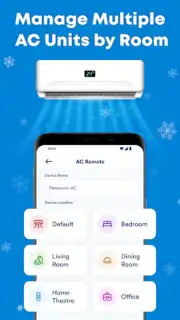
In practical terms, the application consolidates control into a device that is typically always within reach. The convenience factor is significant, eliminating the need to locate a dedicated remote from another room or under furniture. For environments with multiple AC brands, the app can store several profiles, functioning as a centralized controller. However, its effectiveness is contingent upon the phone's IR blaster having a clear line of sight to the air conditioner's receiver, similar to any traditional remote. Battery consumption from the IR emitter is generally minimal during active use.
- Provides comprehensive control over temperature, fan speed, and cooling modes.
- Features a broad compatibility database for numerous AC brands and models.
- Offers an intuitive, clutter-free interface modeled on physical remotes.
- Eliminates dependency on a single, easily lost physical remote control.
- Enables quick switching between saved profiles for multiple AC units.
The utility of having a reliable backup control system integrated into your primary communication device presents a clear advantage for home and office management.
Get Your Universal Remote Today
Take immediate control of your environment and streamline your device management. Download AC Remote Control Pro now to convert your smartphone into a powerful, universal command center for your air conditioning system.
Disclaimer: This application requires a smartphone with a built-in infrared (IR) blaster to function. An internet connection may be needed for initial setup or updates. The developer is not responsible for compatibility with all AC models or device hardware limitations.
Information
| Version | 1.9 |
| Developer | Code Cookies |
| Requirements | Android Android + 8.0+ |
| Updated | 17.03.2026 |
| Size | 23.63 MB |
| Package | com.tools.acremote.pro.app |
| Signature | c2110ad1b6d342d88d404c11d7cce9a9 |
| Architecture | armeabi-v7a, arm64-v8a |


