


Adobe Photoshop Lightroom screenshots (7)

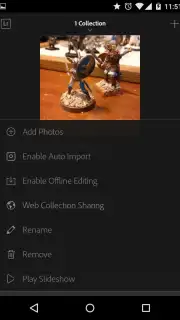
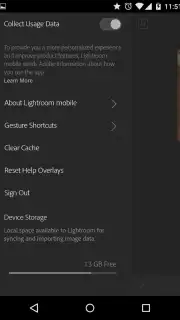



Description Adobe Photoshop Lightroom
Transform Your Mobile Photography with Pro-Grade Editing
Unlock the full potential of your Android camera with Adobe Photoshop Lightroom, the official mobile darkroom that puts professional-grade photo organization and editing directly in your pocket. This is not just a simple filter app; it's a comprehensive workflow solution designed for photographers who demand precision. Seamlessly manage your entire library, sync edits across every device, and process high-resolution RAW files from your DSLR or mirrorless camera with the same powerful technology trusted by creatives worldwide. Experience a level of control and quality previously confined to the desktop, now optimized for touch and mobility.
The application delivers a profoundly sophisticated yet intuitive editing environment. You can create an unlimited number of custom albums and folders, keeping projects perfectly organized and instantly accessible across your smartphone, tablet, and computer via cloud sync. The interface responds to your touch with intelligent gesture controls, allowing you to swipe, pinch, and tap to perform common adjustments with remarkable speed. Dive into the complete suite of Adobe's renowned tools for light correction, color grading, detail enhancement, and selective editing to transform any snapshot into a stunning visual story.
Core Features at a Glance
- Master RAW Workflow: Import and process full-resolution RAW files from professional cameras, retaining maximum detail for superior edits and exposure recovery.
- Universal Cloud Sync: Automatically synchronize your entire photo library, presets, and edits across all your devices using Adobe Creative Cloud integration.
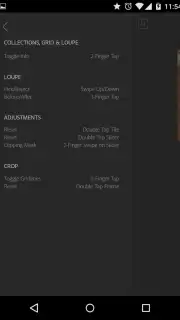
- Gesture-Based Controls: Navigate and edit faster using custom gestures for brushing, adjusting sliders, and comparing before/after views effortlessly.
A significant advantage is the complete absence of disruptive advertisements, ensuring an immersive editing experience. For new users without an existing Adobe subscription, the app offers full, unrestricted access to all premium features during a 30-day trial period. This allows you to thoroughly test its capabilities—from advanced color mixing to perspective correction—with no limitations. After the trial, a subscription is required to maintain access to premium features, including cloud storage and the full toolset.
Download Adobe Photoshop Lightroom today and claim your exclusive 30-day premium trial! This limited-time offer grants first-time users complete, unrestricted access to professional tools—edit your best shots with the industry standard before this exclusive access expires.
Disclaimer: A persistent internet connection is required for initial download, account login, and cloud synchronization services. This app offers in-app purchases for subscription plans to access premium features after the trial period. Full terms are available on the developer's site.
Information
| Version | 11.2.3 |
| Developer | Adobe |
| Requirements | Android Android + 8.0+ |
| Updated | 17.03.2026 |
| Size | 129.08 MB |
| Package | com.adobe.lrmobile |
| Signature | ec4e1ccf4db6324f2e61148289b4f224 |
| Architecture | arm64-v8a |


