


Adobe Photoshop screenshots (12)



Description Adobe Photoshop
Is Your Android Device Ready for a True Photoshop Experience?
For decades, the name Photoshop has been synonymous with professional-grade image manipulation, a tool confined largely to the desktop. The arrival of Adobe Photoshop for Android fundamentally shifts this paradigm, bringing a profoundly capable suite of editing tools directly to your mobile device. This is not a simplified companion app, but a deliberate adaptation of core Photoshop mechanics for touch interfaces. It raises a critical question for any serious mobile photographer or digital creator: can a smartphone truly handle layered compositions, advanced masking, and AI-driven object generation? A detailed examination of its architecture and toolset reveals an application engineered to deliver a surprisingly comprehensive editing environment, challenging the very definition of what's possible on a mobile platform.
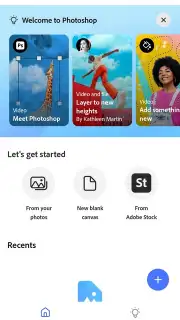
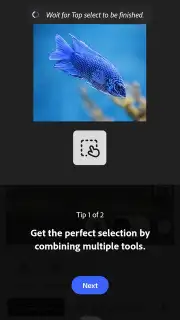
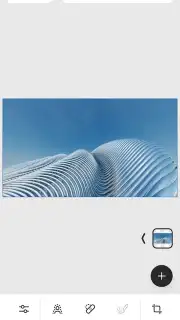
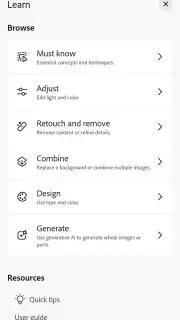
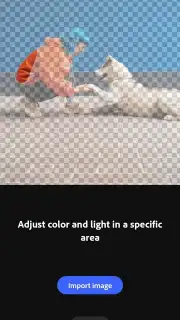
Upon launching, the application prompts for authentication via an Adobe ID, Google, or Apple account, ensuring your work and preferences are synchronized across the ecosystem. The initial onboarding process is a concise tutorial that familiarizes users with the mobile-optimized layout, directly introducing the workflow for importing images from your local gallery. The interface, while dense with capability, maintains a logical hierarchy, grouping tools for selection, retouching, painting, and type in an accessible manner. This full version distinguishes itself sharply from lighter applications like Adobe Photoshop Express or even Adobe Photoshop Lightroom for Android. While Lightroom excels at parametric, non-destructive adjustments to lighting, color, and tone, this Android Photoshop version is built for compositing and pixel-level creativity. It provides genuine layer support, advanced blending modes, and tools for working with text and vector graphics, positioning it for users who need to construct and deconstruct images, not just enhance them.
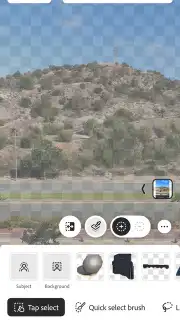
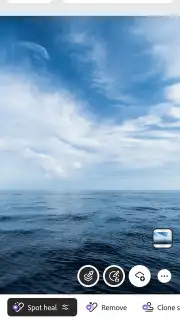
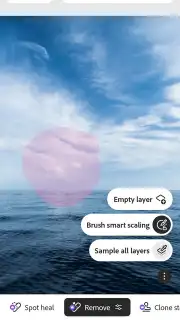
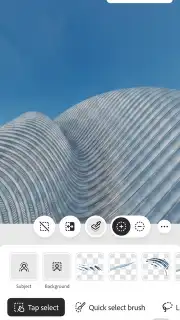
The integration of artificial intelligence is not a peripheral feature but a core operational component. The standout 'Generative Fill' tool, powered by Adobe's Firefly AI, allows for context-aware removal of objects or entire backgrounds. You simply make a rough selection, and the AI analyzes the surrounding pixels to generate a seamless replacement, a task that previously required meticulous manual cloning. Furthermore, this AI capability extends to additive processes. Through text prompts, you can describe an object or element, and the engine will generate it directly onto your canvas, attempting to match lighting and perspective. This functionality is augmented by direct access to the Adobe Stock library from within the main menu, offering a vast repository of licensed assets—from textures to full objects—that can be imported and integrated into your project as new layers. The process of creating complex masks, once a precision task for a mouse and keyboard, is accelerated through AI-assisted selection tools that can intelligently differentiate between a subject and its background.
- AI-Powered Object & Background Manipulation: Utilize Generative Fill to remove any element or entirely replace backgrounds with a simple selection and text command.
- Professional Layer-Based Compositing Workflow: Build complex images using multiple layers, blending modes, and adjustment layers for non-destructive editing.
- Cross-Platform PSD File Compatibility: Start a project on your Android device and export it as a full PSD to continue editing seamlessly on your desktop version of Photoshop.
The application operates on a freemium model. You can download and launch Adobe Photoshop for free, gaining access to a significant portion of its toolset for basic editing and experimentation. However, to unlock the full potential of the advanced AI features, the complete Adobe Stock library integration, and certain premium tools, a paid Adobe Creative Cloud subscription is required. This model allows for substantial initial exploration before committing. Final exports are versatile, supporting standard formats like JPEG and PNG, as well as the native PSD format, ensuring professional workflow continuity. Performance is optimized for devices running Android 11 and above, where the hardware can adequately support the computational demands of its AI features and multi-layer projects.
Download Adobe Photoshop for Android now! Transform your smartphone into a portable creative studio and experience desktop-grade editing power immediately. Stop limiting your mobile creativity—get it today!
This application requires a persistent internet connection for account authentication, AI feature processing, and access to Adobe Stock assets. The app is free to download and use with core features, while advanced tools and services require an active Adobe Creative Cloud subscription, which involves recurring in-app purchases.
Information
| Version | 1.3.0.2245 |
| Developer | Adobe |
| Requirements | Android Android + 11+ |
| Updated | 17.03.2026 |
| Size | 484.83 MB |
| Package | com.adobe.photoshop.retail |
| Signature | ec4e1ccf4db6324f2e61148289b4f224 |
| Architecture | arm64-v8a |


