


Advanced Download Manager screenshots (16)




Description Advanced Download Manager
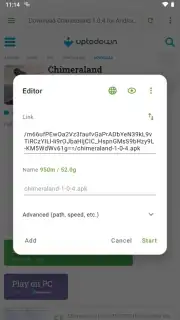
Imagine you're downloading a critical work document on your phone when your train enters a tunnel. On a typical browser, that download fails, lost to the dead zone. This scenario highlights the core limitation of basic mobile downloading—it's fragile and manual. Advanced Download Manager (ADM) by AdvancedApp, version 14.0.39, approaches this not as a simple utility, but as a robust download engine designed to bring desktop-level control and resilience to your Android device. It transforms your phone into a capable download hub, systematically handling files with an intelligence that basic systems lack.
Core Functionality and Feature Analysis
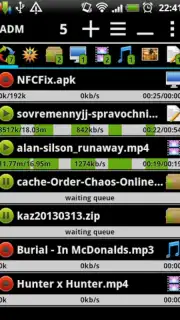
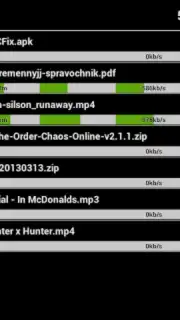
The application operates on a principle of automated organization and uninterrupted transfer. At its foundation, it is a universal download manager capable of processing any file type—from APK archives and high-resolution videos to compressed documents and music albums. Its primary mechanical advantage is the implementation of a segmented, multi-threaded download accelerator (often branded as 'Turbo' mode), which splits files into parts to download simultaneously, significantly increasing speed on stable connections.
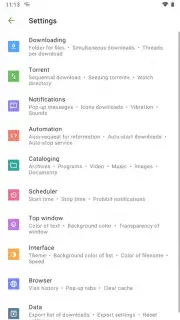
Beyond raw speed, the system introduces logical file management. Upon initiating a download, the app can automatically sort the incoming file into a predefined folder based on its MIME type or extension. A video file from a streaming site, for instance, is routed directly to your /Video/ADM directory, while a PDF manual lands in /Documents. This happens without user intervention, creating an immediately organized library. Furthermore, the scheduler allows you to queue downloads for specific times, leveraging off-peak hours or unmetered Wi-Fi, which is a considerate feature for data cap management.
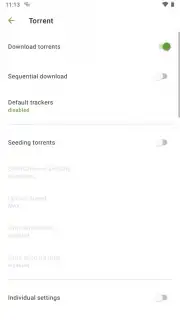
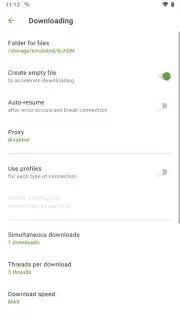
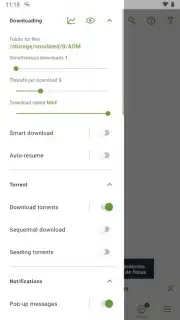
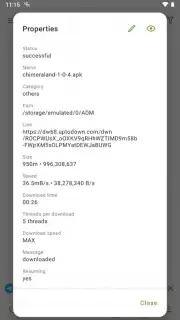
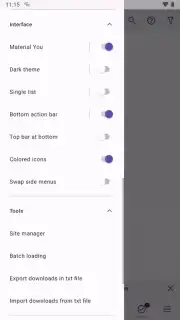
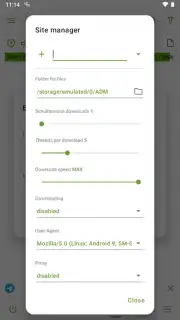
A critical technical feature is download resumption. The manager creates persistent session data for each task. If a download is interrupted—whether by a lost connection, app switch, or system resource constraint—it can be resumed from the exact byte where it stopped, even after a device reboot. This reliability is fundamental for large files on mobile networks. The interface provides granular control over concurrent downloads, network preferences (Wi-Fi vs. cellular data), and download queues, presenting a level of administrative detail typically reserved for desktop software.
Detailed Feature Breakdown
- Universal File Support & Turbo Acceleration: Downloads videos, music, apps, documents, and archives using multi-threaded technology for maximum speed.
- Automatic File Sorting & Organization: Routes downloaded files into designated folders (Videos, Music, Documents) based on type, eliminating manual file management.
- Uninterrupted Resume Capability: Robustly resumes broken downloads from the exact point of failure, even after connection drops or app closure.
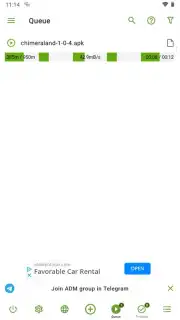
- Flexible Scheduling & Queue Management: Set downloads to start automatically at a specified time and manage multiple active queues with priority settings.
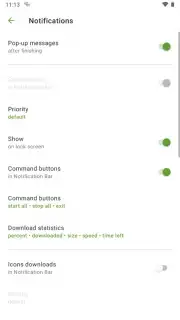
- Ad-Free Experience & Granular Controls: Operates without advertising interruptions while offering deep settings for network rules and concurrent tasks.
This version represents a mature, focused tool that addresses the practical frustrations of mobile downloading. It doesn't merely download; it administers the process.
Download Advanced Download Manager now to activate exclusive, ad-free Turbo speeds and automated organization—this limited promotional access for the first users may include priority feature unlocks.
Internet required. IAP available.
Information
| Version | 7.33oc |
| Developer | AdvancedApp |
| Requirements | Android Android 4.1+ |
| Updated | 02.09.2026 |
| Size | 2.87 MB |
| Package | com.dv.adm |
| Signature | EB:46:87:33:F7:74:1C:98:D5:E1:F2:1F:0E:42:3A:E5:60:DF:D8:B0 |


