


analiti - Speed & WiFi screenshots (9)
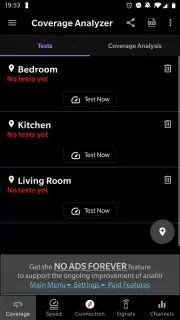
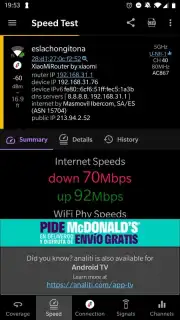
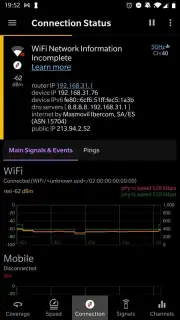
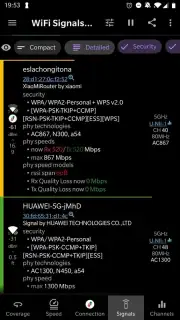
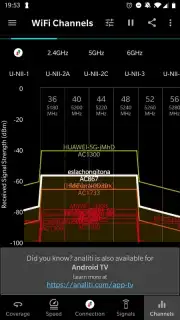
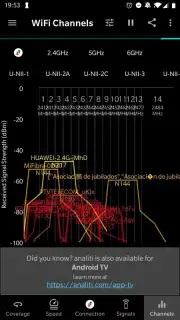
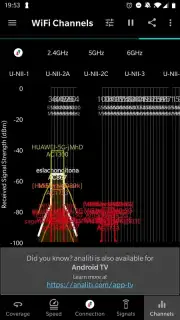
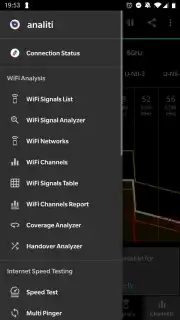
Description analiti - Speed & WiFi
A Practical Guide to Diagnosing Your Home Network
For many users, a Wi-Fi network is a mysterious entity—it either works or it doesn't. When video calls stutter, downloads crawl, or smart devices drop offline, the frustration is palpable, yet the cause remains hidden. This is where a diagnostic tool transitions from a novelty to a necessity. analiti - Speed & WiFi positions itself as that essential lens, transforming abstract connection problems into concrete, actionable data. It moves beyond a simple speed check to provide a comprehensive, room-by-room analysis of your wireless environment, empowering you to not just see that your network is underperforming, but to understand precisely why.
From Signal Strength to Network Intelligence
The core functionality of analiti is built on a multi-layered approach to network diagnostics. It begins with the fundamental speed test, measuring download and upload throughput with precision, offering a clear baseline for your internet connection's raw performance. However, the application's true differentiation lies in its spatial analysis. The coverage mapping feature allows you to virtually label areas on a floor plan—living room, kitchen, home office—and physically walk through them. The application continuously logs signal strength (RSSI) and quality, generating a visual heatmap of your Wi-Fi's reach. This practical exercise immediately identifies dead zones and optimal placement for routers or extenders.
Further elevating its utility, analiti conducts a detailed spectral analysis of your radio environment. It scans and lists all nearby Wi-Fi networks, displaying not just their names and signal strength, but crucially, the specific wireless channels they occupy. This visualization is key to diagnosing interference; a crowded channel shared by multiple strong networks is often the root cause of instability and lag, even if your own signal appears strong. For users requiring deeper insight, the suite of advanced tools includes latency analysis (ping and jitter), real-time connection tracking, LAN device discovery to see everything connected to your network, and a VPN connection verification test. This combination makes it a versatile tool suitable for both quick daily checks and methodical technical troubleshooting.
Core Feature Set
- Perform accurate download, upload, and latency speed tests for baseline metrics.
- Map Wi-Fi signal strength room-by-room to visually identify coverage gaps.
- Scan and analyze all nearby Wi-Fi networks and their channel distribution.
- Utilize advanced tools for ping monitoring, LAN scanning, and VPN checks.
- Enjoy an ad-free experience with a clean, focused interface for uninterrupted analysis.
Stop guessing about your Wi-Fi performance. Take definitive control of your home or office network with a tool that provides clarity and insight. This is the definitive upgrade for anyone reliant on a stable internet connection.
Download the analiti - Speed & WiFi mobile app now! Transform your connectivity frustration into informed action today—get it immediately!
Please note: This application requires an active internet connection. Some advanced features or an ad-free experience may be offered through optional in-app purchases.
Information
| Version | 2026.02.93100 |
| Developer | analiti Experts Group |
| Requirements | Android Android + 12L+ |
| Updated | 17.03.2026 |
| Size | 23.31 MB |
| Package | com.analiti.fastest.android |
| Signature | daf22d10a5ea32066ea10ee977ecec63 |
| Architecture | armeabi-v7a, arm64-v8a |


