

Android Keyboard (AOSP) screenshots (3)
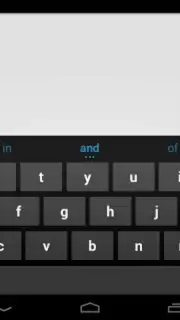
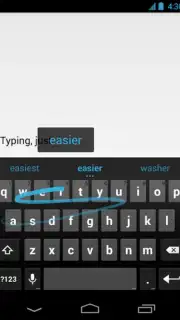
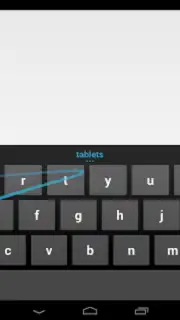
Description Android Keyboard (AOSP)
Imagine needing to reply to a message while carrying groceries, or typing a long email on a crowded train. The standard keyboard becomes a chore, each tap a deliberate, slow action. The Android Keyboard (AOSP) addresses this core inefficiency by transforming the typing surface from a static grid into a dynamic gesture canvas, fundamentally altering the input mechanics.
Core Functionality and Performance Analysis
This keyboard, developed from the Android Open Source Project by Google, functions as a baseline input method engineered for speed and system-level integration. Its primary operational mechanism is gesture typing, formally termed gesture typing with dynamic floating preview. This feature allows users to input words and common phrases by drawing a continuous line over the letters, with a preview window dynamically tracking the finger's path to minimize errors. The system supports 26 languages and dictionaries, ensuring broad lexical coverage and autocorrect accuracy across multiple regions. As an AOSP-derived tool, it maintains full compatibility with the vast majority of Android phones and tablets, offering a consistent, bloat-free experience directly integrated with the operating system's framework.
Key Feature Breakdown
- Gesture Typing with Live Preview: Draw lines between letters to form words; a floating window provides real-time text feedback to reduce typos and increase input confidence.
- Extensive Multilingual Support: Incorporates dictionaries and autocorrect for 26 languages, facilitating accurate typing for multilingual users without switching keyboards.
- Zero-Advertisement Interface: Operates as a clean, system-level utility with no advertising modules, ensuring an uninterrupted and focused typing environment.
The absence of third-party advertisements and promotional content is a notable technical distinction, positioning it as a utility rather than a platform for engagement. This results in predictable performance and minimal background resource usage.
Start typing with streamlined efficiency and claim your speed advantage now.
Heads up: you'll need wifi for dictionary updates and language downloads. Some advanced theme customizations are extra.
Information
| Version | 14 |
| Developer | Google Inc. |
| Requirements | Android Android + 5.0+ |
| Updated | 17.03.2026 |
| Size | 63.12 MB |
| Package | com.android.inputmethod.latin |
| Signature | cde9f6208d672b54b1dacc0b7029f5eb,a7f9e648b3f65f7211f4e9456cce2d17 |
| Architecture | universal |


