


AndroVid screenshots (6)
Description AndroVid
Tired of Clunky Video Editors That Slow You Down?
You have a great video clip on your phone, but it's too long, has a shaky start, or just needs that finishing touch. You search for an editor, only to be met with confusing interfaces, hidden features, and constant interruptions. What you need is a straightforward tool that turns your raw footage into polished content quickly, right on your device. Imagine having precise control at your fingertips, transforming videos in minutes without needing a desktop computer or advanced skills. That direct, hands-on editing experience is exactly what this app delivers, putting professional-grade trimming and merging tools directly in your palm.
Experience Intuitive, Gesture-Based Video Mastery
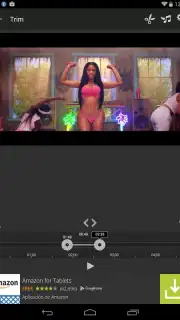
This app transforms your smartphone into a portable editing suite. The core experience is built around intuitive touch gestures, allowing you to pinpoint exact moments to cut or seamlessly blend clips together with simple swipes and taps. You are in complete control from the moment you select any video from your device's gallery. The editor presents a clear timeline, letting you visually scrub through footage and make frame-accurate edits effortlessly. This gesture-first design means you spend less time learning menus and more time creating, making complex edits feel surprisingly simple and fast.
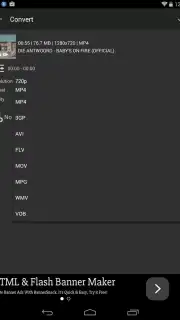
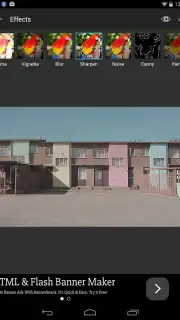
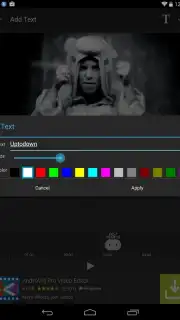
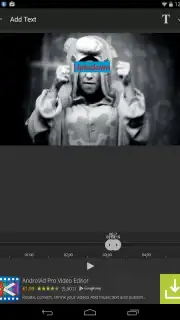
Beyond basic cuts, the app opens up a world of creative customization. You can layer subtitles onto any scene, with full control over the text's style, size, and color to match your video's tone. A library of visual filters and effects is available, allowing you to apply dramatic looks or subtle enhancements with a single touch to alter the mood instantly. For those needing format flexibility, the app includes a powerful conversion tool, enabling you to save your projects in various formats like MP4 for sharing, MP3 for audio extraction, or others like FLV and MPEG for specific compatibility needs.
- Perform frame-perfect cuts and merges using simple, intuitive touch gestures on a clear visual timeline.
- Add custom subtitles and titles with complete control over font style, color, and positioning on the video.
- Instantly change the visual mood by applying a variety of filters and effects with just one tap.
- Convert your final video or audio into multiple formats including MP4, MP3, FLV, and MPEG for universal playback.
- Enjoy an ad-free, turbo-charged editing experience that keeps you focused and makes the process incredibly smooth.
This is your exclusive chance to upgrade your content creation toolkit. For a limited time, new users get prioritized access to all pro-level editing features. Don't just record moments—shape and share them professionally. Download the AndroVid mobile app now before this offer ends!
Internet required. IAP available.
Information
| Version | 7.3.0.3 |
| Developer | Androvid |
| Requirements | Android Android 8.0+ |
| Updated | 16.09.2026 |
| Size | 148.82 MB |
| Package | com.androvid |
| Signature | 9d6657620ef20cd73786c6f0c62c489c991d32b7 |
| Architecture | arm64-v8a |


