


Any Icon screenshots (12)

Description Any Icon
A Practical Tool for Customizing Your Android Home Screen
Any Icon is a utility application that provides granular control over the visual presentation of app shortcuts on Android devices. It operates by leveraging the operating system's native shortcut creation protocol, allowing users to generate new home screen icons that link directly to their original applications. This process does not alter system files or require root access, focusing instead on creating a layer of visual customization through standard Android functionalities. The core offering is the ability to replace default icons and labels, providing a method to declutter or personalize a device's interface according to individual preference.
Core Functionality and Customization Depth
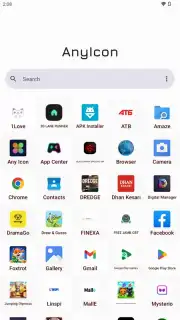
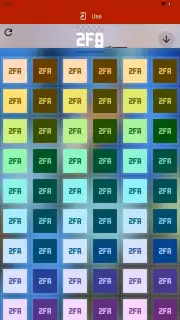
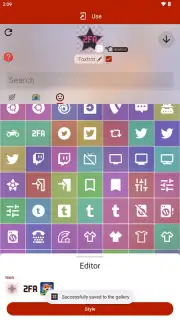
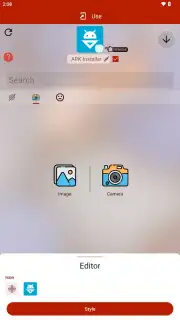
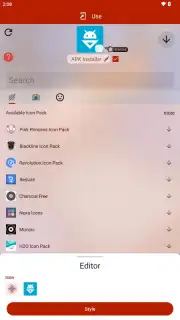
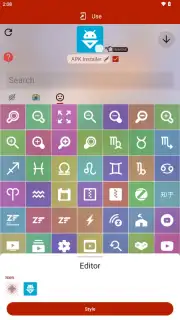
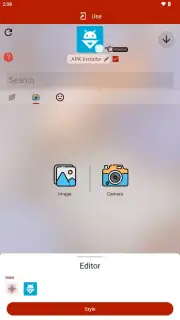
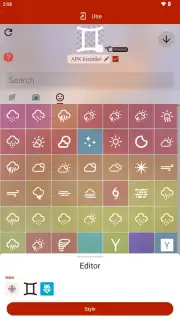
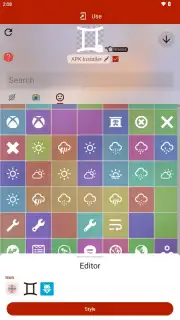
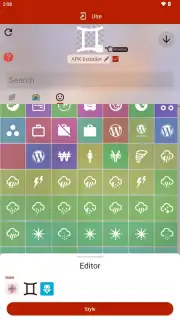
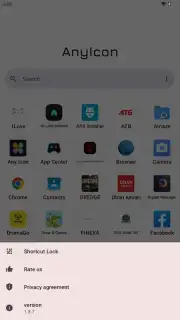
The application's interface presents a list of all installed apps. Selecting any entry opens a detailed editor where users can modify two primary elements: the visible name and the icon graphic. For icon replacement, the tool sources images from three distinct categories. Users can access a substantial built-in library of pre-designed icons, utilize complete thematic icon packs, or import any image file from the device's local gallery or camera. Following the selection of a base image, further editing options become available, such as adjusting the icon's background color, applying shape masks, or modifying the label's font style. It is a procedural tool that transforms a standard app shortcut into a personalized widget.
Operational Mechanics and User Considerations
The technical execution involves creating a new shortcut on the home screen. This newly placed icon, which can be fully customized, functions identically to the original—tapping it launches the target application without delay. Users should note that the original application icon remains in the app drawer; this tool creates an alternative, customized shortcut. The free version of the application is supported by advertising and may include watermarks on certain premium icon assets or advanced styling features. An optional in-app purchase, often labeled as a "Turbo" or premium upgrade, typically removes these limitations and advertisements.
- Granular App Shortcut Control: Modify both the visual icon and the text label for any application installed on your Android device, creating a fully personalized home screen layout.
- Multi-Source Icon Library: Choose from thousands of built-in icons, complete thematic packs, or use your own photos and images to create truly unique app shortcuts.
- Post-Selection Visual Editing: Fine-tune chosen icons with adjustable backgrounds, color filters, and shape overlays for cohesive design integration.
Get your personalized home screen advantage and download the Any Icon mobile app now.
Heads up: you'll need wifi for downloading icon packs. Some cool styles and features are extra.
Information
| Version | 1.8.8 |
| Developer | Any Studio |
| Requirements | Android Android + 5.0+ |
| Updated | 17.03.2026 |
| Size | 8.36 MB |
| Package | any.icon |
| Signature | 151c914e117fa5ff51d002f32d851145 |
| Architecture | armeabi-v7a, x86, arm64-v8a |


