


AnyDesk screenshots (5)
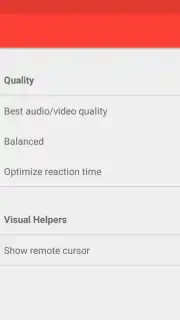
Description AnyDesk
Transform Your Phone into a Universal Remote for Your Computer
Stop being chained to your desk. AnyDesk shatters the physical barrier between you and your computer, turning your Android device into a powerful, portable command center. This isn't just about viewing your PC screen; it's about taking full, tactile control of your entire digital workspace from anywhere. Experience a seamless extension of your desktop, with performance so fluid it feels like you're sitting right in front of your machine, even when you're miles away.
The magic begins with a simple two-device setup. Install the lightweight AnyDesk application on both your Windows computer and your Android phone or tablet. Each device generates a unique, persistent address. To initiate a remote session, you simply enter your computer's address into the mobile app. Within seconds, you establish a direct, encrypted connection, and your computer's desktop environment is rendered in real-time on your mobile screen. You can then interact with it using intuitive touch gestures or connect a peripheral mouse and keyboard for precision work.
Core Functionality and Advanced Capabilities
AnyDesk is engineered for professionals who demand reliability and speed. Its proprietary DeskRT codec ensures that screen updates are transmitted with exceptional efficiency, minimizing bandwidth use while maximizing responsiveness. This means you can scroll through documents, edit spreadsheets, or even run design software without perceivable input lag or graphical artifacts. The connection remains stable even on cellular networks, providing true on-the-go productivity.
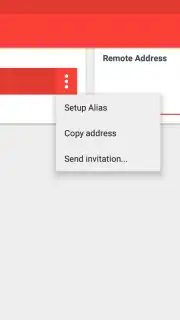
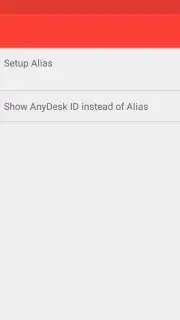
Beyond basic control, the app offers a suite of professional tools. You can manage multiple saved connections, allowing you to swiftly switch between your home office PC, your work computer, and a server with just two taps. The session management is robust: disconnect with a single click, lock the remote screen, or restart the computer remotely. For administrators, features like unattended access are crucial; once configured, you can reach your computer anytime, provided it remains powered on and connected to the internet.
- High-Performance Remote Control: Leverage the proprietary DeskRT codec for fluid, low-latency interaction with your desktop, applications, and files as if you were physically present.
- Multi-Device Management & Unattended Access: Save connection details for all your computers, switch between them instantly, and access them anytime—even when no one is there to grant permission.
- Full-Featured Mobile Interaction: Utilize comprehensive touch gestures, virtual keyboards, and support for peripheral hardware to perform complex tasks from your mobile device with ease.
Turbocharge Your Remote Experience
Unlock the full potential of remote work with the optional Turbo performance upgrade. This premium enhancement prioritizes your connection for even faster data transmission, reduces latency to imperceptible levels, and provides access to exclusive administrative features. It’s the definitive solution for graphic designers, video editors, IT support specialists, and anyone who cannot compromise on performance.
Download the AnyDesk mobile app now and claim your exclusive, limited-time trial of Turbo features for new users. Transform your commute, your coffee shop, or your living room into a fully functional office today—this level of freedom won't last forever.
Heads up: you'll need a stable WiFi or mobile data connection for optimal performance. Some cool stuff, like the Turbo performance mode and advanced administrative tools, is part of the optional premium upgrade.
Information
| Version | 8.3.2 |
| Developer | AnyDesk Software GmbH |
| Requirements | Android Android + 5.0+ |
| Updated | 17.03.2026 |
| Size | 45.06 MB |
| Package | com.anydesk.anydeskandroid |
| Signature | 3c5c98a01c21c8bdf40460c644871cdf,1c997a13d4786d2be3807e27b19e3bf0 |
| Architecture | armeabi-v7a, x86, arm64-v8a, x86_64 |


