


APK Installer by Uptodown screenshots (15)

Description APK Installer by Uptodown
The Unseen Complexity of Android App Installation
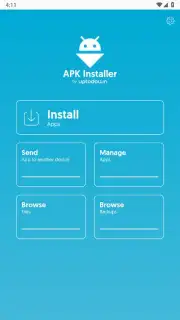
The process of manually installing an Android application file has evolved from a simple tap into a technical procedure involving multiple file formats and directory structures. Standard system installers often fail to recognize packages like XAPK, which are now commonplace due to changes in Google's distribution frameworks. This creates a barrier for users who need to install apps from sources outside official stores, manage backups, or handle specific package types. APK Installer by Uptodown functions as a dedicated utility designed to bypass these system limitations, providing a unified interface for managing the various APK-based formats that a standard package installer cannot process.
Core Functionality and Operational Mechanics
This application operates as a comprehensive package manager, addressing the two primary challenges in manual Android app handling: installation and backup. Its core engine is built to parse and execute installations for monolithic APK files, the newer split APK configurations (introduced via Android App Bundles), and the combined XAPK containers that bundle APKs with associated OBB data files. OBB files contain large assets like game graphics and media, which allowed developers to circumvent historical size limits on the Play Store but complicated manual installation by requiring precise placement in device folders. By supporting XAPK, this tool reintegrates the installation process, handling the extraction and correct placement of all component files automatically.
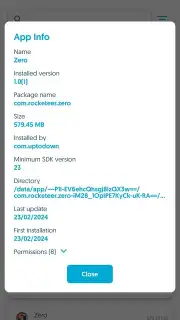
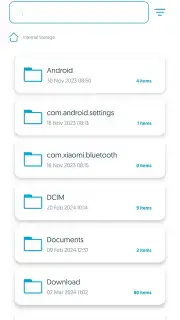
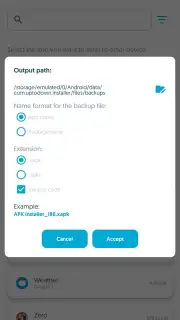
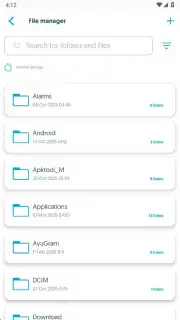
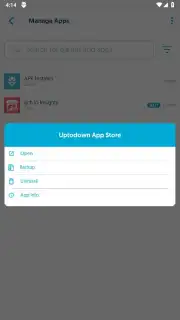
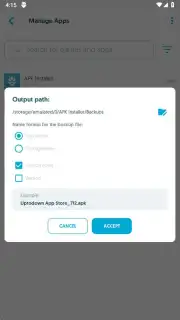
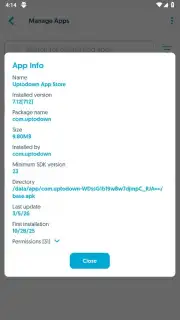
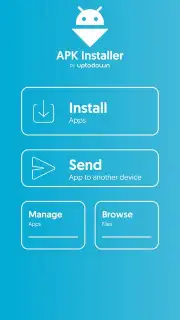
For backup operations, the tool performs a reverse engineering of the installation state. It scans the device for all user-installed applications, then packages every necessary component—the base APK, any split APKs for different architectures or languages, and the corresponding OBB data—into a single, portable XAPK file. This creates a complete, restorable snapshot of an application. The integrated file browser provides direct access to device storage for locating downloaded package files, while the network sharing feature uses local Wi-Fi to transmit these package files to other devices, facilitating easy distribution without cloud uploads.
Analysis of Key Feature Set
The utility distinguishes itself through a focus on automation and format abstraction, removing the user from underlying complexities. The absence of advertising in its core operation ensures an uninterrupted workflow, a notable consideration for a tool often used for multiple sequential installations or backups.
- Automated device-wide app scanning and backup
- One-tap installation for APK, XAPK, and split APK formats
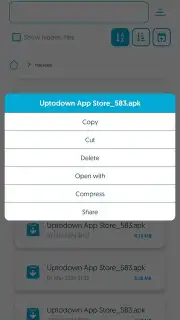
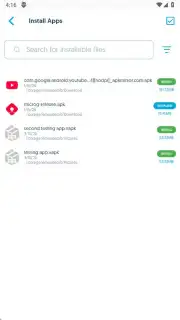
- Integrated file system browser for local package management
- Direct wireless app sharing between devices on the same network
The shift from simple APKs to split APKs and data-heavy OBB files transformed a one-step process into a multi-folder, multi-file operation. This tool effectively acts as a compatibility layer, interpreting these modern formats and executing the correct installation sequence as if it were the system's native installer. For users who frequently test app versions, restore software, or install titles from alternative repositories, it eliminates the research and manual file manipulation typically required.
Installation and Practical Application
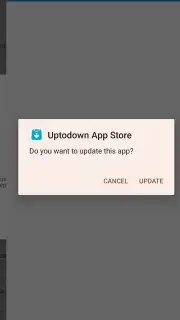
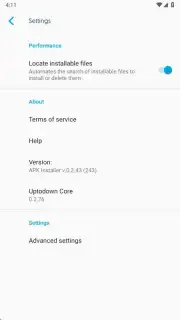
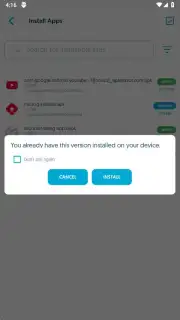
In practice, using the application involves granting standard Android permissions for package installation from unknown sources. Once configured, the user experience is streamlined: navigating to a downloaded XAPK file and selecting it triggers the automated unpacking, directory creation, and component installation. The backup function is equally direct, generating consolidated files that can be archived or transferred. This makes it particularly valuable for preserving app versions that may be delisted from stores or for migrating a specific app setup between devices without relying on a full system backup or cloud sync, which may not preserve the desired version.
For a limited time, Uptodown is offering exclusive, unobstructed access to this utility for its first wave of users. This is your chance to bypass Android's installation restrictions today and gain complete control over your app library.
Download the APK Installer by Uptodown mobile app now to secure this essential tool.
Internet required. IAP available.
Information
| Version | 0.2.43 |
| Developer | Uptodown Technologies SL |
| Requirements | Android Android + 6.0+ |
| Updated | 17.03.2026 |
| Size | 3.38 MB |
| Package | com.uptodown.installer |
| Signature | 643506f9f2323740df1e2af5659caba8,ed86b3c7d53cba96769d1b431108e398 |
| Architecture | armeabi-v7a, x86, arm64-v8a, x86_64 |


