

Apktool M screenshots (11)
Description Apktool M
Ever wanted to edit an app's icon, name, or core properties without needing a computer? Apktool M transforms your Android device into a fully-featured APK workshop, putting powerful modification tools directly in your hands. This isn't just about simple tweaks; it's about gaining deep access to an application's structure for customization, testing, and analysis, all through a streamlined mobile interface.
Core Functionality and Editing Workflow
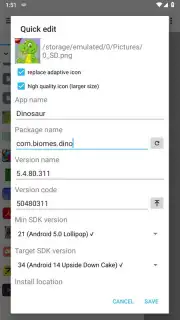
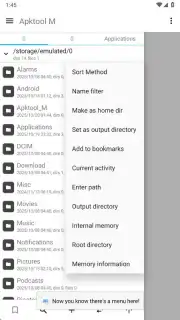
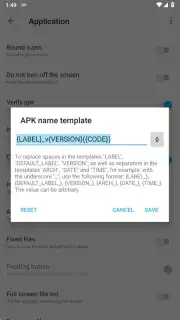
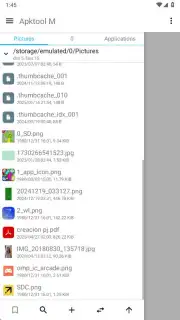
Apktool M operates as a comprehensive suite for APK manipulation. Its central function is the Quick Edit mode, which provides a direct pathway to modify fundamental application properties. You initiate the process by selecting your target APK from the integrated file browser. Within the Quick Edit panel, you can alter the visual identity by replacing the application icon and changing its display name. Beyond aesthetics, you can edit technical identifiers like the package name, version name, and version code. The tool also allows for adjustments to the APK's build requirements, including the minimum and target SDK versions, and the preferred install location (like internal storage or an SD card).
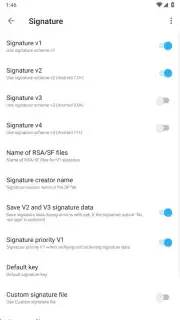
A standout feature is the integrated signature management system. You can choose to re-sign the modified APK with one of several provided signatures or preserve the original. Practical checkboxes enable you to set the APK as debuggable for development purposes or optimize its manifest for Android TV compatibility, ensuring the modified file behaves correctly on your target platform.
Advanced Tools for Analysis and Decompilation
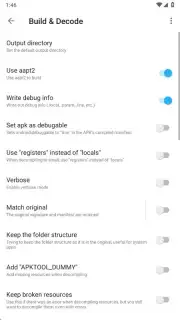
Beyond editing, Apktool M includes robust utilities for APK inspection and reverse engineering. The signature verification tool delivers a complete cryptographic breakdown of any APK's signing certificate, displaying issuer, algorithm, and validity dates within seconds. For more in-depth analysis, the one-tap decompile function extracts an APK's source code and resource files, enabling you to review the application's permission requests, analyze its anti-tampering protections, and examine its asset structure. This is invaluable for developers, security enthusiasts, or anyone curious about how their apps are built.
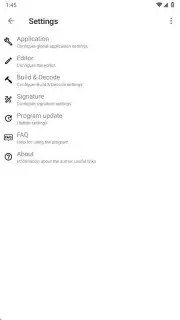
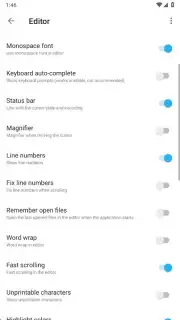
The application ensures usability with a detailed, step-by-step FAQ section accessible from the Options menu. This guide clarifies every tool and setting, making advanced APK modification accessible even to those new to the process.
Key Features at a Glance
- Quick-edit APK icons & names
- Modify package info & SDK versions
- Verify and replace APK signatures
- Decompile apps for deep analysis
We suggest trying Apktool M if you have a specific need to personalize apps, conduct compatibility tests, or learn about Android application security. It's a potent utility that unlocks a layer of Android typically reserved for desktop tools.
Download mobile app now
Heads up: you'll need wifi for most features. Some cool stuff is extra.
Information
| Version | 2.4.0-260312 |
| Developer | Maximoff |
| Requirements | Android Android + 4.0, 4.0.1, 4.0.2+ |
| Updated | 17.03.2026 |
| Size | 15.12 MB |
| Package | ru.maximoff.apktool |
| Signature | 37bfbd63421b20a6da4dd54a9b2b00a3 |
| Architecture | armeabi-v7a, x86, arm64-v8a, x86_64 |


