


App Ops screenshots (6)
Description App Ops
Ever felt like your apps are peeking over your shoulder? That social media platform scanning your contacts, the weather app tracking your location constantly, or a simple game wanting access to your call history. It’s a modern digital dilemma: you need the apps, but you don’t need all their intrusive permissions. Imagine having a master control panel for your Android device, a place where you can decisively grant or revoke every single permission on an app-by-app basis. That’s the precise power of App Ops, a sophisticated tool that hands you back definitive control over your personal data. This isn't about basic system settings; it's about granular, surgical management of what each application can and cannot do on your device.
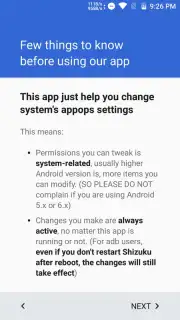
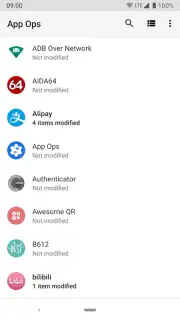
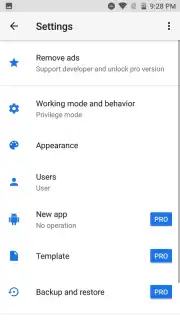
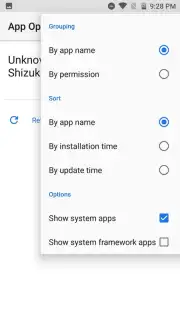
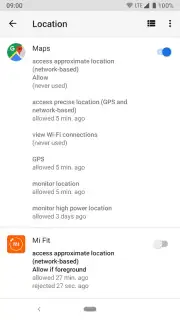
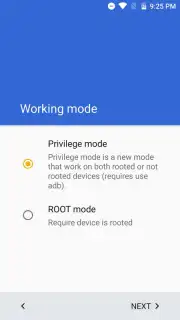
App Ops functions as a high-level permission manager, diving deeper than standard Android interfaces. It requires either a rooted device for straightforward operation or the use of Shizuku Manager for non-rooted setups, which involves a more technical ADB process via a computer. Once configured, the application presents a clean, organized dashboard. A standout feature is the global permission view, which instantly shows you a list of all applications that hold a specific permission, like accessing your microphone or reading SMS messages. This reverse-lookup capability is invaluable for identifying potential privacy risks at a glance. Furthermore, the Turbo mode enhances performance and provides an ad-free experience, ensuring your management tasks are fast and uninterrupted.
Core Functionality and User Workflow
The primary workflow is elegantly simple. You browse your installed applications, select any app, and are presented with a complete list of its requested permissions—from location and storage to body sensors and nearby devices. Each permission can be individually toggled to "Allow," "Ignore," or "Deny," giving you precise control. For rooted users, changes apply instantly. For users employing the Shizuku Manager method, the process involves connecting the device to a computer to establish initial permissions via ADB commands, after which control is managed directly from your phone.
- Granular Permission Toggles: Individually allow, deny, or ignore specific permissions like camera, contacts, or location for every single app installed on your device.
- System-Wide Permission Audit: View a consolidated list of all apps that possess a given permission, enabling quick identification of potential privacy overreach across your entire device.
- Root & Non-Root Pathways: Offers functionality for rooted devices with simple activation, plus detailed support for Shizuku Manager to enable advanced control without root access.
This tool is essential for anyone serious about Android privacy, transforming your device from an open book into a fortress where you dictate the rules. The level of detail and control it provides goes far beyond standard settings, making it a powerful utility for advanced users and privacy-conscious individuals alike. While the non-root method requires initial technical steps, the persistent control it grants is unparalleled.
Don't wait for the next app to misuse your data—take command of your digital boundaries today. Download App Ops now and transform your Android into a truly private device!
Internet required. IAP available.
Information
| Version | 9.0.7.r1709.96c7869d |
| Developer | Qixingchen |
| Requirements | Android Android + 7.0+ |
| Updated | 17.03.2026 |
| Size | 9.86 MB |
| Package | rikka.appops |
| Signature | a12263bde276e621f46754cdec1dc089 |
| Architecture | armeabi-v7a, x86, arm64-v8a, x86_64 |


