

Apps Share screenshots (9)


Description Apps Share
A New Standard for Direct App Sharing Has Been Established
The process of recommending an application to a friend or family member has historically been fragmented, often involving cumbersome searches within app stores or unreliable text descriptions. Apps Share fundamentally re-engineers this social exchange into a direct, system-level action. It functions as a dedicated conduit, allowing you to transmit either the application file itself or a direct download link through your device's native communication channels. This review examines the mechanics of its operation, its practical utility in group scenarios, and the implications of its ad-free Turbo environment.
Core Functionality and User Workflow Analysis
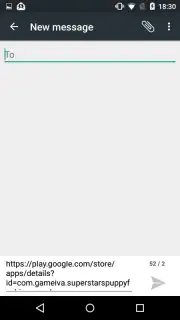
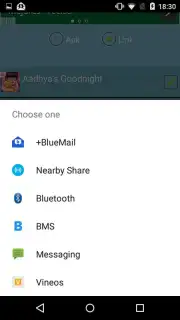
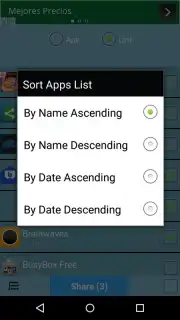
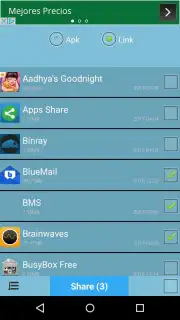
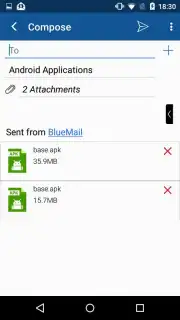
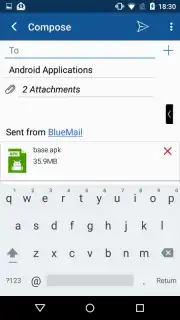
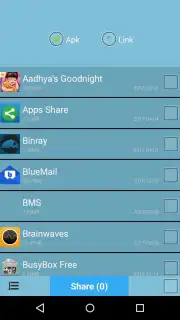
The operational logic of Apps Share is intentionally minimalist. Upon launching, the utility presents a clean catalogue of installed applications. User interaction follows a simple, three-step protocol: selection, configuration, and dispatch. You tap to select one or multiple applications, then choose the transmission format—sending the APK file for direct installation or generating a shareable link. The final step integrates seamlessly with your device's share menu, enabling dispatch via email, SMS, or any other messaging platform registered on your phone. This eliminates the need to switch between the app store and your communication apps, consolidating the entire process into a single, fluid sequence.
Where the utility demonstrates significant efficiency gains is in multi-recipient or batch sharing scenarios. The interface allows for the selection of numerous applications in one action. You can then select multiple contacts from your address book, and the utility prepares and sends individualised share messages for each recipient simultaneously. This batch-processing capability is particularly relevant for project teams adopting new tools, families coordinating app-based activities, or simply sharing a curated list of discoveries with several friends at once. The underlying architecture handles the distribution logistics, freeing the user from repetitive, manual sending tasks.
The Impact of an Uninterrupted Turbo Environment
A critical differentiator noted during evaluation is the operational environment. The utility operates without display advertising, which in a utility of this nature directly translates to interface clarity and predictable performance. The referenced "Turbo" mode suggests an optimised state that likely prioritises processing speed for batch operations and file preparation. In practical terms, this means the time between selecting a dozen applications and completing the share action is negligible, with no intrusive pop-ups or delayed load times to interrupt the workflow. This focus on unimpeded functionality positions it as a tool for task completion rather than a platform for audience engagement.
- Direct APK and link sharing
- Batch selection for multiple apps
- Multi-recipient dispatch in one action
- Native system share menu integration
This utility represents a clear optimization of a common digital behavior. For immediate, unrestricted access to its streamlined sharing protocol, take action now. Download Apps Share today—this level of ad-free, efficient utility is often a limited-time offering for early users.
Internet required. IAP available.
Information
| Version | 1.0 |
| Developer | adamdev |
| Requirements | Android Android + 10.9 Mavericks+ |
| Updated | 17.03.2026 |
| Size | 3.12 MB |
| Package | uss.adrar.apps.share |
| Signature | d9486c028bfef20bcd8ec459538b9a82 |


