


AR Drawing: TraceCam & Draw screenshots (8)

Description AR Drawing: TraceCam & Draw
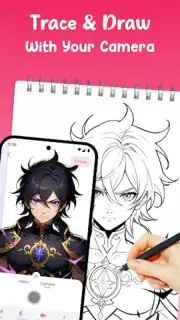
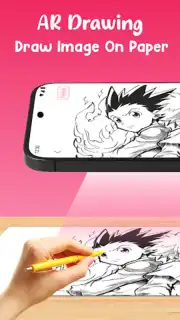
What if you could project any image onto a physical surface and trace it with perfect accuracy, turning complex drawing into a simple, guided process? AR Drawing: TraceCam & Draw is a specialized augmented reality application engineered to function as a precision tracing tool. It utilizes the smartphone's camera to overlay digital images onto real-world paper or canvas, effectively serving as a dynamic stencil system. This method is designed to assist users in achieving correct proportions and clean line work, regardless of their prior artistic training. The core proposition is technical assistance, removing a significant barrier to entry for detailed illustration and consistent practice.
Core Functionality and Feature Set
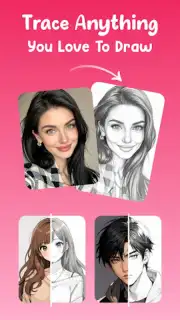
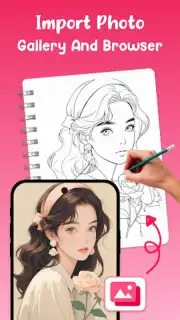
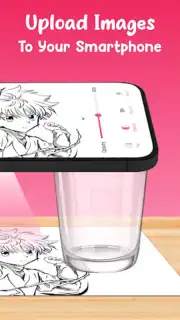
The application operates by allowing users to select a base image from an integrated library containing numerous categories, such as cartoon characters, animal silhouettes, floral designs, and portrait outlines. Alternatively, the system supports the import of personal photographs, which are then automatically processed into traceable line overlays. Once an image is selected, the user positions their device on a stand or mounts it above their drawing surface. The AR projection is then calibrated through on-screen controls for opacity, zoom level, rotation, and mirroring. A built-in flashlight toggle is available to maintain projection clarity in low-light conditions. This setup transforms any stable desk into a digitized tracing table, facilitating the transfer of complex images onto physical media with a high degree of fidelity.
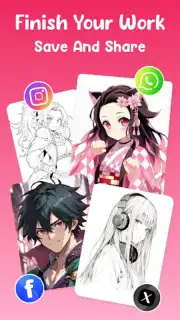
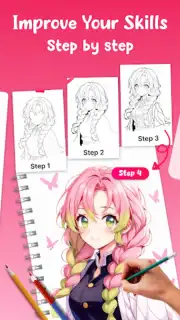
Beyond basic tracing, the app incorporates utilities aimed at skill development and documentation. The process of tracing established forms is intended to build muscle memory for line control, shading techniques, and understanding spatial relationships. For record-keeping or sharing, an integrated time-lapse recording function can capture the entire drawing process from start to finish. This creates a shareable video file suitable for social media or personal review. The application functions offline for core tracing features, with all project data and images stored locally on the device, emphasizing a workflow that does not require cloud synchronization or data transmission.
- Vast library of traceable templates
- Import and convert personal photos
- Full AR projection controls
- Time-lapse drawing recording
The utility of this tool extends beyond hobbyist sketching. It can be employed for practical tasks such as creating precise tattoo stencils, planning murals or large-scale artwork, practicing calligraphy strokes, or developing consistent character designs for storyboarding. It serves as a bridge between digital reference material and analog art creation, standardizing a process that traditionally required physical light boxes or proportional grid methods.
For a limited time, new users can access the full template library and premium projection tools without initial restrictions. This exclusive offer is designed for early adopters who want to test the application's full capabilities in professional or educational scenarios. Download the mobile app now to convert your smartphone into a portable, high-precision tracing studio.
Heads up: you'll need wifi for downloading the initial asset library and accessing some social sharing features. The core AR tracing functions work offline. Some advanced template packs and editing tools are available as optional extras.
Information
| Version | 1.1.4_20260305 |
| Developer | Amobear Application - AILABS. |
| Requirements | Android Android + 7.0+ |
| Updated | 17.03.2026 |
| Size | 36.72 MB |
| Package | com.artrace.ardrawing.tracecamera.sketch |
| Signature | f043db2b7404d5c9db7d1cc8bb3e1309 |
| Architecture | armeabi-v7a, arm64-v8a |


