

ASUS Gallery screenshots (6)

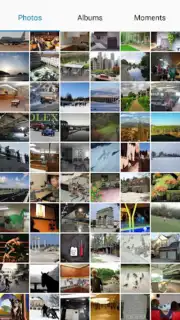
Description ASUS Gallery
Your Photos, Finally Organized: The ASUS Gallery Experience
Imagine opening your phone to find a specific photo from last month's trip. Instead of endless scrolling through a chaotic camera roll, you tap open an app and there it is—neatly sorted into a folder named after that city, ready to share in an instant. That's the daily reality ASUS Gallery creates for your device. This isn't just another generic photo viewer; it's the official gallery application built from the ground up for ASUS Android phones and tablets. It becomes the central hub for every visual memory, from high-resolution JPGs and PNGs to animated GIFs and WEBM videos, ensuring no moment is left unorganized or difficult to find.
A Gallery Designed for Your ASUS Hardware
This application leverages a deep, system-level integration with ASUS devices, offering a fluidity and responsiveness that generic alternatives can't match. The interface is clean and intuitive, putting your media front and center without clutter. A key advantage is the complete absence of advertisements, creating a distraction-free environment to enjoy your personal photos and videos. Performance is further enhanced by proprietary optimization technologies, ensuring swift loading times for large albums and seamless video playback, even for 4K content.
Core Features That Transform Your Media Library
-
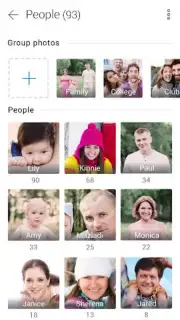
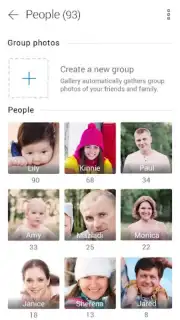
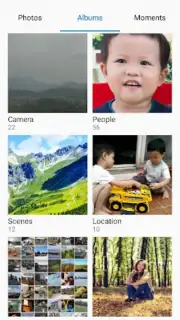
Intelligent Photo Management: Move beyond simple date sorting. Create unlimited custom folders to categorize your life—separate work documents from family portraits, or create dedicated albums for specific projects, pets, or hobbies. The app supports advanced sorting by location data, allowing you to automatically group all photos from a vacation or your favorite local spots with minimal effort.
-
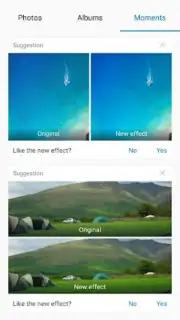
The "Moments" Discovery Tab: This feature acts as your personal creative assistant. The app intelligently analyzes your library to surface suggestions. It might recommend a color correction to brighten a dim landscape, propose a better crop for a portrait, or even suggest playful filters and effects to give a series of photos a cohesive, stylized look. It’s a tool for rediscovering and enhancing memories you’ve already captured.
-
Universal Format Support: Never worry about file compatibility again. ASUS Gallery seamlessly handles a wide spectrum of image and video formats including JPG, PNG, BMP, GIF, and WEBM. This means everything from downloaded memes and web images to screenshots and professional photos appears correctly and is readily accessible in one unified library.
-
Turbo-Optimized Performance: Experience faster image rendering and smoother album navigation. The underlying optimization reduces load times significantly, especially when browsing through folders containing hundreds of high-resolution files. This efficiency preserves your device's battery life while delivering a premium viewing experience.
-
Essential ASUS-Only Integration: Designed exclusively for the ASUS Android ecosystem (version 8 and above), the app ensures perfect hardware-software harmony. It can often resolve issues present in other gallery apps on ASUS devices, such as media detection errors or format support problems, by utilizing the full potential of your device's specific hardware capabilities.
-
Privacy-Focused Local Storage: Your photos and videos remain securely on your device. The app prioritizes local management, giving you complete control over your media without mandatory cloud uploads, while still offering easy sharing options to your preferred platforms when you choose to.
-
Download ASUS Gallery Now for Exclusive Access!
This optimized gallery experience is available today for ASUS users. Transform your disorganized camera roll into a beautifully curated visual diary. Tap download now—this is the definitive tool for anyone serious about managing their digital memories on an ASUS device.
Heads up: you'll need wifi for initial download and for accessing some online-based features in the Moments tab. Some advanced editing effects and tools are part of extra packages. Ensure your device is an ASUS model running Android 8 or higher for full compatibility and performance.
Information
| Version | 3.7.0.40_231114M |
| Developer | ZenUI, ASUS Computer Inc. |
| Requirements | Android Android + 8.0+ |
| Updated | 17.03.2026 |
| Size | 469.93 MB |
| Package | com.asus.gallery |
| Signature | a774058b277c9f13864fcc3c4b100dfb |
| Architecture | arm64-v8a |


