

Atom Launcher screenshots (5)

Description Atom Launcher
Looking for a way to declutter your Android home screen and achieve a truly minimalist interface? Atom Launcher by DLTO presents a distinct approach to Android personalization, prioritizing a clean aesthetic and user-initiated customization over a feature-saturated environment.
Core Functionality and Aesthetic Design
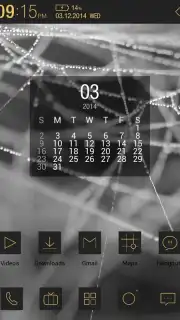
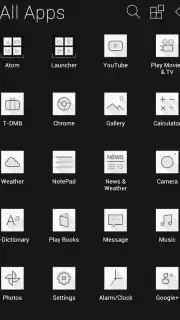
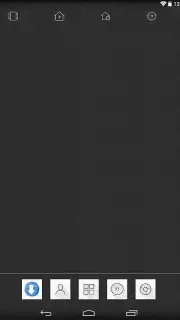
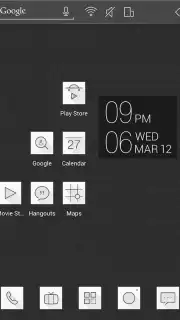
Atom Launcher operates on a principle of visual reduction. Upon initial activation, it performs a clear reset by removing all existing icons from the home screen. The default theme establishes a monochromatic foundation, utilizing a black-and-white palette with icons rendered in various shades of gray against a subdued background. This design choice is intentional, aiming to minimize visual noise. However, the launcher acknowledges that the default grayscale icons may not cohesively blend with the native colors of all installed applications, which is a consideration for users seeking absolute uniformity.
Customization and Configuration Tools
Beyond its preset state, the launcher provides a suite of personalization tools accessible through its settings menu. Users are not bound to the minimalist theme and can import alternative, potentially more vibrant, theme packs. The settings allow for comprehensive alteration of wallpapers and individual application icons. Functionality extends to practical management features, including the ability to import icon sets from previous launchers, create and organize desktop folders, add widgets for at-a-glance information, and generate backups of the current desktop layout to streamline device transitions or resets.
Analytical Feature Breakdown
The application's value is rooted in its specific set of tools designed for users seeking a streamlined interface.
- Decluttered Home Screen Initiation: Automatically clears all icons upon setup, providing a blank canvas for intentional organization.
- Adaptable Monochromatic Themes: Offers a default black-and-white theme with full support for importing and applying third-party icon packs and wallpapers.
- Comprehensive Layout Management: Includes tools for folder creation, widget integration, and full desktop backup and restoration processes.
While Atom Launcher may not introduce radically unique features absent in the broader market, its focused execution on delivering a clean, configurable, and ad-free environment presents a compelling option for users aiming to reduce digital clutter. The absence of advertising, particularly with the Turbo enhancement, contributes significantly to a seamless user experience.
Get your minimalist home screen setup today and transform your device's interface.
Disclaimer: This application requires an internet connection for certain functions like theme downloads and backups. The product may contain in-app purchases. Please be aware of data usage charges from your provider. This software is intended for a general audience; users should ensure it is compatible with their device and Android version. Always download apps from official stores like Google Play.
Information
| Version | 2.2.92 |
| Developer | DLTO |
| Requirements | Android Android + 4.0, 4.0.1, 4.0.2+ |
| Updated | 17.03.2026 |
| Size | 7.29 MB |
| Package | com.dlto.atom.launcher |
| Signature | 6df78e7aa247a273b46ebc35d0009721 |


