


Audio Converter screenshots (8)
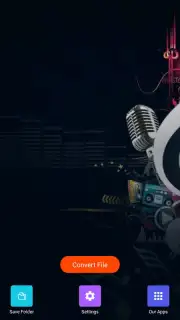
Description Audio Converter
Struggling with Incompatible Audio Files?
You have the perfect soundtrack for your project, but your editing software refuses to open it. You've found a rare audio clip online, but your media player can't decode the format. These digital roadblocks are a common frustration in a world of diverse audio standards. Audio Converter by Bdroid Team is engineered to dismantle these barriers, providing a streamlined, professional-grade toolset for transforming audio files directly on your Android device. It moves beyond simple conversion, offering precise control over your audio's fundamental properties to ensure perfect compatibility and quality for any application.
Core Functionality and Analytical Workflow
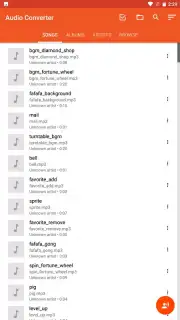
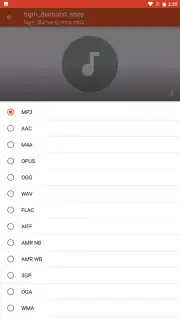
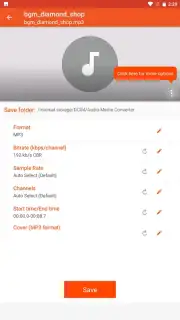
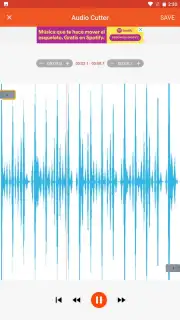
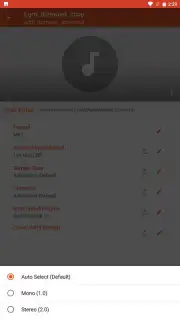
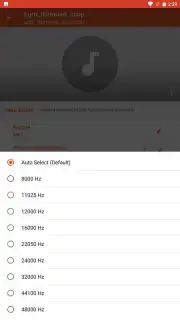
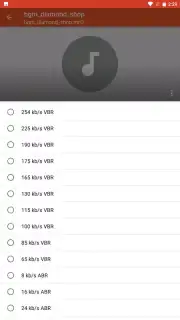
The application operates on a principle of technical transparency and user-directed processing. At its core is a robust conversion engine that supports a comprehensive array of formats including MP3, WAV, FLAC, AAC, M4A, and OGG. The process is deliberately straightforward: you select a source file from your device's storage, choose a target format from a clearly presented list, and initiate the conversion. The interface provides real-time feedback on the process. Beyond basic format switching, the app grants access to advanced parameters. You can surgically adjust the bitrate to balance file size against fidelity, modify the sample rate for specific hardware requirements, and even change the audio channel configuration from stereo to mono to reduce file size further. This level of detail allows for tailoring output precisely for use cases ranging from high-fidelity music archiving in FLAC to creating optimized voice memo files in M4A.
Key Technical Advantages
The utility of Audio Converter is defined by its efficiency and lack of bloat. It performs complex audio transcoding locally on your device, which means your files never leave your phone for cloud processing, ensuring privacy and allowing for use without an internet connection. The conversion speeds are optimized for mobile processors, handling lengthy files without excessive battery drain or overheating. The user interface is a model of functional clarity, presenting technical options without overwhelming jargon, making advanced audio manipulation accessible to both casual users and audio enthusiasts. It respects the user's storage and system, producing clean, standardized output files that integrate seamlessly with other music players, editing apps, and sharing platforms.
- Multi-Format Support: Convert between all major audio codecs including MP3, FLAC, WAV, AAC, and OGG for universal playback.
- Precision Audio Controls: Manually define critical output parameters like bitrate, sample rate, and channels for professional results.
- Local, Offline Processing: All conversion happens securely on your device, protecting your data and enabling use anywhere.
Get your bonus of seamless audio compatibility and take full control of your sound library today.
Download mobile app now
Disclaimer: This is a productivity tool for local file management. An internet connection is not required for core conversion functions but may be needed for accessing online help or future updates. The app is free to download and use. It is designed for users of appropriate age to operate a mobile device. Please be aware of your device's storage capacity when working with large audio files. Always ensure you have the right to convert any audio files you process.
Information
| Version | 19.7 |
| Developer | Bdroid Team |
| Requirements | Android Android + 6.0+ |
| Updated | 17.03.2026 |
| Size | 53 MB |
| Package | com.bdroid.audiomediaconverter |
| Signature | f5cd616929d9dce0140130bd82c7f195 |
| Architecture | armeabi-v7a, arm64-v8a |


