


AudioLab screenshots (7)
Description AudioLab
Transform Your Audio Files with Professional Editing Tools on Android
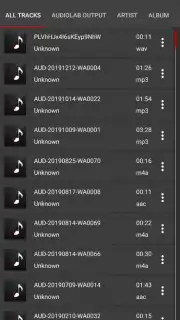
Managing audio recordings on your Android device often requires a dedicated set of tools for basic editing and enhancement. AudioLab provides a comprehensive suite of audio processing functions directly on your smartphone, allowing you to modify, create, and improve sound files without transferring them to a computer. The application supports a wide range of audio formats for editing, enabling direct manipulation of voice memos, music tracks, and other recordings stored locally on your device.
Core Functionality and Editing Modes
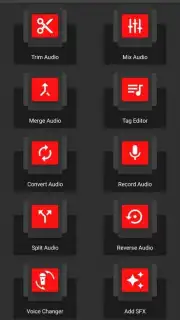
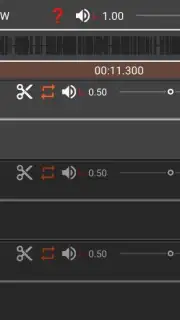
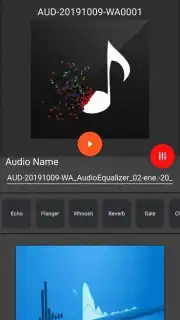
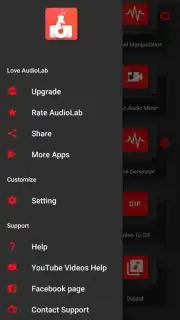
The interface is built around a central menu that provides immediate access to all editing modules. Each tool is designed for a specific audio processing task. You can perform precise cuts to remove unwanted sections from a file or merge multiple audio clips sequentially to produce a single, continuous track. The application includes a dedicated voice pitch modulator that alters the frequency range of vocal recordings. This tool can shift a human voice to simulate different characters, such as creating high-pitched alien effects or deep, animal-like tones.
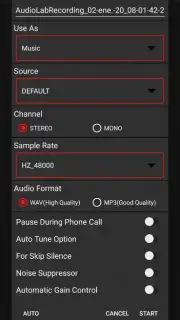
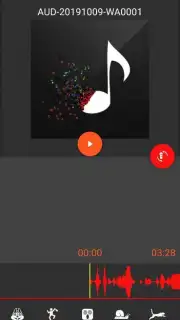
For technical adjustments, the app offers corrective tools for frequency balance. You can isolate and modify specific high and low-frequency bands within an audio file to enhance clarity or reduce noise. Furthermore, AudioLab integrates a full-featured audio recorder for capturing new sound directly within the app. All newly created or edited files can be saved to your device's local storage in various formats, facilitating a complete workflow from recording to final export without requiring additional software.
- Trim, cut, and merge multiple audio files into a single composition.
- Apply real-time voice modulation to create alien, robotic, or animal vocal effects.
- Adjust and correct specific high and low-frequency ranges for audio clarity.
- Record new audio directly within the app using the integrated recorder tool.
- Save and export edited files in multiple formats to your device's local storage.
Don't wait to upgrade your audio projects! Download this powerful editing suite now and take full control of your sound files immediately!
A stable internet connection may be required for initial download and certain functions. The application may offer optional in-app purchases for advanced features.
Information
| Version | 1.3.20 |
| Developer | HitroLab |
| Requirements | Android Android + 12L+ |
| Updated | 17.03.2026 |
| Size | 53.54 MB |
| Package | com.hitrolab.audioeditor |
| Signature | fd6e1b73f15d7b5b915aa8d4aded1a98 |
| Architecture | armeabi-v7a, arm64-v8a |


