


AutoCAD 360 screenshots (5)
Description AutoCAD 360
The Problem of Being Tethered to Your Desk
For professionals in design, engineering, and construction, critical project files have historically been locked to a desktop workstation. This creates a bottleneck, where last-minute client requests on-site, urgent markups during a meeting, or simple review during travel become logistical challenges. Waiting to return to a powerful computer to view or tweak a drawing is no longer a viable workflow in a fast-paced industry. The need for precision and compatibility with the industry-standard .DWG format makes using generic mobile viewers a risky compromise, often leading to formatting errors or a complete lack of editing capability.
A Comprehensive Mobile Extension of Industry-Standard Workflows
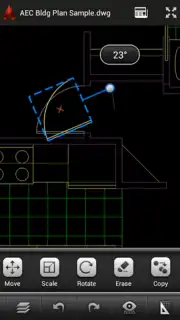
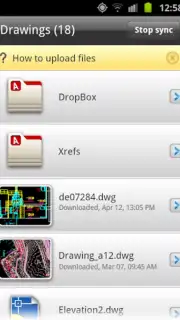
AutoCAD 360, developed by Autodesk Inc., directly addresses this disconnect by functioning as the official mobile companion to the desktop AutoCAD software. This application is not a simplified viewer but a robust tool that maintains fidelity with the complex ecosystem of AutoCAD files. It allows for the secure opening, detailed examination, and meaningful editing of any drawing created in the desktop program, effectively placing a professional workstation in your pocket. The core functionality revolves around seamless cloud synchronization via your Autodesk account, ensuring that the latest version of a drawing is always accessible. Notably, the application is engineered for continuous productivity, featuring a fully operational offline mode. Edits made without an internet connection—using tools for drawing, object manipulation, scaling, and measurement—are queued and automatically synchronized once connectivity is restored, ensuring no change is ever lost.
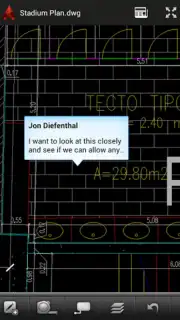
The application facilitates a collaborative environment directly from a mobile device. Users can share drawing links with team members or clients, who can then view or comment without needing the app installed, streamlining the feedback loop. For more direct collaboration, the app supports real-time project sharing, allowing multiple stakeholders to add annotations, textual notes, and even image overlays to a single drawing file. Furthermore, the integrated ePrint & Share service provides a direct pathway to hard copies, enabling printing to any networked printer or sending to a printing service directly from the field. While the free version offers substantial utility for viewing, basic editing, and sharing, the optional Pro subscription unlocks a deeper tier of functionality tailored for heavy, daily use, including advanced drafting tools, more cloud storage, and the ability to work with larger, more complex drawings.
Key Features of AutoCAD 360
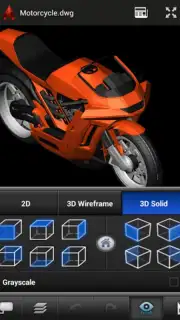
- View, edit, and share native AutoCAD DWG files with full format fidelity on your mobile device.
- Perform precise edits offline using drawing, move, scale, and measurement tools, with auto-sync upon reconnection.
- Enable team collaboration through shared project access, live markups, and annotation tools.
- Print documents directly from the app to any printer via the integrated ePrint & Share service.
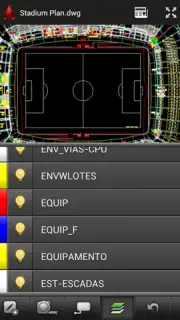
- Access and manage your entire drawing library through secure cloud synchronization with your Autodesk account.
Download the AutoCAD 360 mobile app now. This is not merely a viewer; it's a critical productivity tool that untethers your most important work. For a limited time, new users receive exclusive extended access to premium feature trials—secure your professional mobility today.
Disclaimer: This application requires an internet connection for initial setup, cloud synchronization, and sharing features. A paid subscription (AutoCAD 360 Pro) is available as an in-app purchase and unlocks advanced tools and increased cloud storage capacity. The app may collect and use data, including drawing files and usage information, as detailed in the developer's privacy policy. Users are responsible for secure internet connections when handling sensitive project data. Compatibility is ensured with files from recent AutoCAD desktop versions.
Information
| Version | 6.24.0 |
| Developer | Autodesk Inc. |
| Requirements | Android Android 8.0+ |
| Updated | 15.09.2026 |
| Size | 120.43 MB |
| Package | com.autodesk.autocadws |
| Signature | c75692bdfbc6a1be962c52673142c84152d6a29d |
| Architecture | arm64-v8a |


