


Automatic Tag Editor screenshots (7)
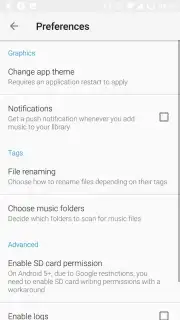
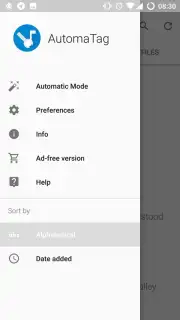
Description Automatic Tag Editor
Tired of your music library looking like a jumbled mess of "Track 01" and "Unknown Artist"? What if you could automatically organize and perfect every song's identity in seconds?
Automatic Tag Editor is the definitive tool for Android users who demand precision and control over their digital music collection. This powerful application scans your device's storage to catalog every audio file, then provides a comprehensive editing suite to correct, complete, and customize their metadata. It works natively with a wide range of formats including MP3, OGG, FLAC, WMA, and M4A, ensuring no track is left unorganized. The core experience is built around a dual approach: you can enjoy granular, manual control over every detail or leverage intelligent automation to handle bulk edits with a single command. The premium Turbo upgrade unlocks the ultimate efficiency, removing all advertisements and granting one-touch tagging for your entire library, transforming a tedious chore into an instant, satisfying task.
Core Functionality & Editing Power
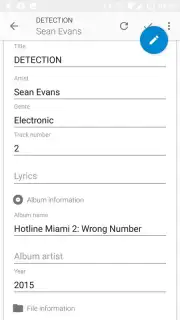
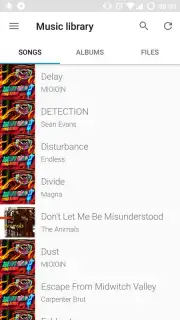
Upon launch, the app performs an immediate scan of your internal storage and SD card, building a complete, navigable list of all your music files. Tapping any song opens the detailed editor interface. Here, you have direct access to every standard ID3 tag field for manual input or correction.
- Edit All Standard Metadata: Directly modify song title, artist, album, genre, track number, year, and composer.
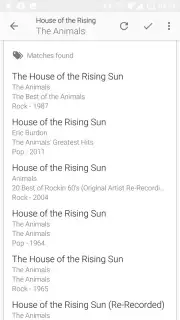
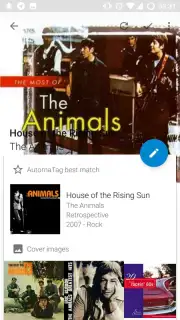
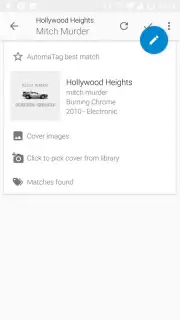
- Automated Tag Lookup: Fetch correct tag information from online databases to fill missing data automatically.
- Batch Processing Tools: Apply edits to multiple files simultaneously, such as renaming an entire album's artist.
The manual editor gives you pixel-perfect control, allowing you to fix typos, standardize naming conventions, or add personal notes. The automated system cross-references your files with vast online music databases to fill in blanks accurately, perfect for completing albums or correcting mislabeled tracks from various sources.
Advanced Features & Turbo Mode
Beyond basic editing, the app includes utilities for deeper library management. You can edit album art directly, embedding new cover images into the file itself. The batch processing mode is a powerhouse for large-scale organization, letting you update tags across hundreds of files in one operation—ideal for cleaning up a newly transferred collection.
The Turbo premium option eliminates all advertisements and supercharges the app's capabilities. Its most significant feature is the global one-touch auto-tag function, which can analyze and correctly tag every song in your library in a single process. This mode represents the ultimate set-and-forget solution for achieving a perfectly curated music database without any manual effort.
- Remove all advertisements.
- One-touch tag your entire library.
- Priority processing speeds.
Ready for a perfectly tagged music collection? Get exclusive, early access to the premium Turbo feature set for a limited time. Download Automatic Tag Editor now and transform your library today!
Heads up: you'll need wifi for the automated tag lookup features to fetch data. Some cool stuff, like the Turbo one-touch tagging, is extra.
Information
| Version | 2.2.4.16 |
| Developer | fillobotto |
| Requirements | Android Android + 4.4+ |
| Updated | 17.03.2026 |
| Size | 12.84 MB |
| Package | com.fillobotto.mp3tagger |
| Signature | cd8da0ca1c70cae177d417d65186cda4 |
| Architecture | armeabi-v7a, x86, arm64-v8a, x86_64 |


