

Bengali Voice Typing Keyboard screenshots (9)

Description Bengali Voice Typing Keyboard
A Keyboard That Listens and Translates
Imagine needing to write a message in Bengali, but you're more comfortable speaking it or typing in English. The standard keyboard becomes a barrier. The Bengali Voice Typing Keyboard by Magic World Tech addresses this core friction point directly. It is not merely a themed keyboard; it is a functional language tool designed to bridge the gap between speech, Latin script, and formal Bengali text. This review examines its mechanics as a dual-purpose utility that operates as both a direct input method and a standalone translation and dictation studio, analyzing how it handles the practical challenges of bilingual communication on an Android device.
Core Functionality and User Experience
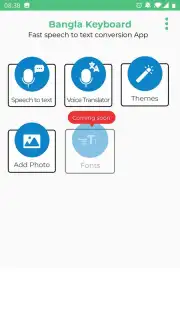
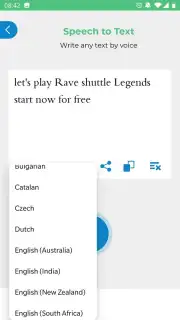
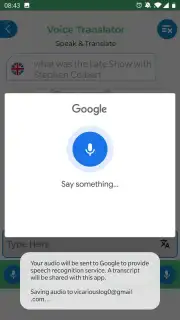
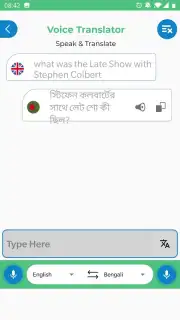
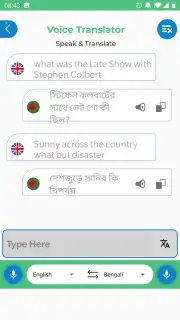
The application presents two primary, distinct tools upon launch, which can be used independently of activating the keyboard itself. The first is an integrated translation utility. It provides a straightforward interface for text conversion between Bengali and other languages, leveraging accessible translation services. This is particularly useful for composing messages where you know the meaning in one language but require accurate phrasing in another. The second, and arguably more significant tool, is the dedicated voice-to-text module for Bengali. This engine is designed to capture spoken Bengali and transcribe it into written form with notable accuracy. It serves a critical need for users who are fluent in pronunciation but less confident in spelling or script composition, effectively bypassing the need for manual character selection.
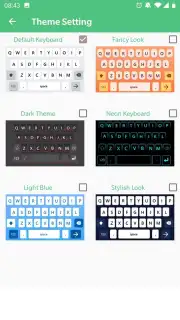
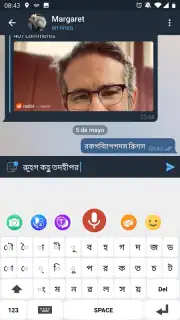
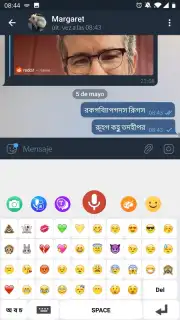
When activated as the system keyboard, the app replaces your default layout with one equipped for Bengali character input. This eliminates the cumbersome process of copying and pasting text from external translators into messaging apps or social media. The keyboard supports standard typing alongside its voice input capabilities, which are accessible directly from the keyboard interface. Installation follows the standard procedure for third-party keyboards on Android, requiring permissions for full functionality. Beyond utility, the keyboard includes a degree of personalization, offering several theme options and background images to adjust its visual appearance, which adds a layer of customization to the user experience.
Key Features in Detail
- Dual-Mode Voice Typing: Transcribe spoken Bengali to text directly within the keyboard or use the standalone dictation tool for longer passages.
- Integrated Text Translation: Features a built-in translation panel for converting text between Bengali and numerous other languages seamlessly.
- Customizable Bengali Keyboard: Provides a dedicated on-screen layout for Bengali characters with selectable themes and background images for personalization.
The app positions itself as a practical solution for overcoming specific linguistic hurdles. For diaspora communities, students learning the language, or professionals communicating in Bengali, it reduces the effort required for accurate text creation. The absence of disruptive advertising in its core operation, especially when using the keyboard for daily typing, contributes to a focused user experience. While it facilitates communication, it is most accurately described as a productivity enhancer for Bengali language tasks rather than a tool that removes a broad language barrier, which often involves deeper comprehension.
Consider downloading the Bengali Voice Typing Keyboard if your daily digital communication requires reliable Bengali text input from speech or translation.
Download the Bengali Voice Typing Keyboard mobile app now.
This application requires an active internet connection for translation and advanced voice recognition services. Some features or themes may be part of optional in-app purchases.
Information
| Version | 4.60 |
| Developer | Magic World Tech |
| Requirements | Android Android + 7.0+ |
| Updated | 17.03.2026 |
| Size | 61.52 MB |
| Package | com.bengali.voicetyping.keyboard.speechtotext |
| Signature | 252020cedda13e53c3efb7696c67a8ca |
| Architecture | arm64-v8a |


