

Best Image Converter Professional (Pro) screenshots (6)
Description Best Image Converter Professional (Pro)
The Universal Image Format Dilemma
In a digital ecosystem fragmented by incompatible file types, managing your photo library often becomes an exercise in frustration. You capture a moment in a high-resolution format, only to find it's unsupported by a submission portal, bloats your email attachment limit, or simply won't open on a colleague's device. This constant need for conversion is a pervasive technical hurdle that interrupts creative and professional workflows. Best Image Converter Professional (Pro) addresses this core problem directly, positioning itself not as another photo editor, but as a dedicated, high-fidelity translation tool for your visual data.
A Precision Engine for Visual Data
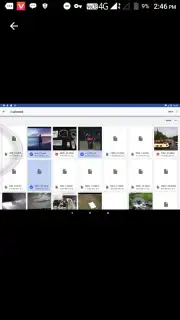
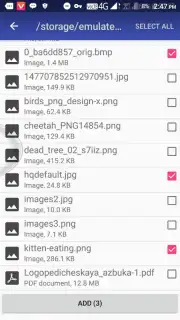
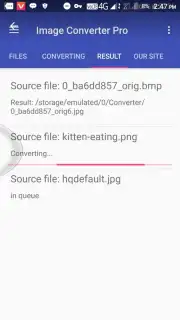
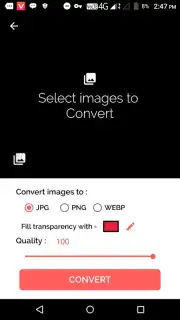
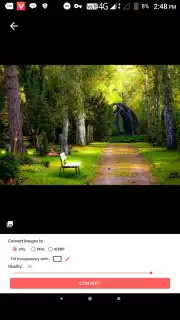
The application functions as a streamlined, purpose-built utility. Its primary mechanic revolves around a clean, sequential workflow: select an image from your gallery or take a new photo, choose a target format from an extensive list, adjust specific parameters for that format, and execute the conversion. The processing is handled by optimized algorithms that prioritize the preservation of detail and color integrity during the format transition. Beyond basic conversion, the pro version typically includes a batch processing mode, allowing users to queue dozens of images for uniform conversion, saving immense time over single-file operations. The interface logically separates input selection, format configuration, and output management, minimizing cognitive load and focusing purely on the task of transformation.
Key Advantages of the Professional Toolkit
The value of this utility lies in its combination of depth, control, and reliability. It removes the guesswork and quality loss often associated with free online converters, which can compress files unnecessarily or add watermarks. By performing conversions locally on your device, it also ensures privacy and speed, as images are not uploaded to external servers. The professional tier unlocks granular control, turning a simple converter into a powerful asset for photographers, designers, and office workers who need predictable, high-quality results.
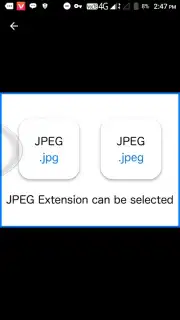
- Extensive Format Support: Convert between all major formats including JPG, PNG, WebP, BMP, TIFF, and HEIC with reliable compatibility.
- Batch Processing Efficiency: Select and convert entire folders of images simultaneously with uniform output settings to save hours.
- Adjustable Quality Parameters: Precisely control output file size and resolution with dedicated sliders for compression and dimensions.
- Metadata Preservation: Choose to retain or strip EXIF data, such as camera settings and location, during the conversion process.
- Local Device Processing: All conversions happen securely on your device, ensuring data privacy and faster operation without internet.
We suggest trying Best Image Converter Professional (Pro) if you regularly need to prepare images for different platforms, archives, or professional submissions. It turns a common digital obstacle into a swift, one-tap operation.
Download mobile app now
Disclaimer: This application requires an internet connection for initial download and potential updates. The "Pro" version is a paid product or may contain in-app purchases to unlock all professional features. Some advanced formats may have licensing considerations. The app may require access to device storage for reading and saving image files. Data usage depends on the size and number of images processed. Please review the app's specific terms and privacy policy for detailed information.
Information
| Version | 1.0 |
| Developer | Jokers App |
| Requirements | Android Android + 3.0.x+ |
| Updated | 17.03.2026 |
| Size | 4.01 MB |
| Package | photocreation.imageconverter.converimage |
| Signature | cb3363348414b0583c830294c272e10f |
| Architecture | armeabi-v7a |


