


Blackmagic Camera screenshots (10)
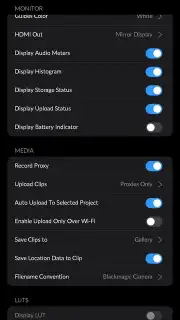
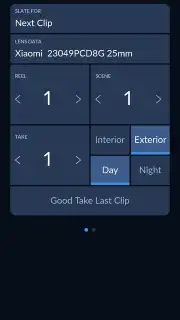
Description Blackmagic Camera
What if your smartphone could capture images with the control and quality of a professional cinema camera?
The Blackmagic Camera app for Android transforms your mobile device into a sophisticated filmmaking tool, directly porting the renowned imaging science of Blackmagic Design's hardware into a portable format. This is not a simple filter suite or a basic camera replacement; it is a dedicated utility that unlocks manual, granular control over the imaging pipeline, allowing creators to bypass the automated limitations of standard smartphone camera software. By providing direct access to core photographic parameters, it enables the capture of RAW visual data that retains maximum flexibility for post-production, effectively bridging the gap between convenient mobile shooting and intentional cinematic creation.
A Professional Control Interface at Your Fingertips
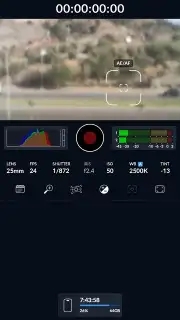
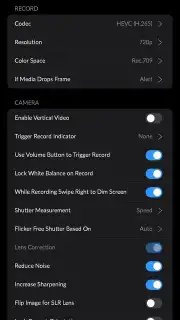
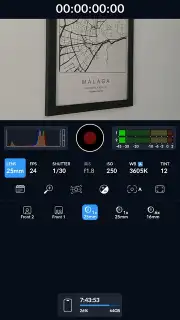
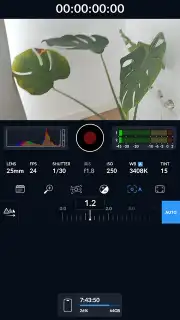
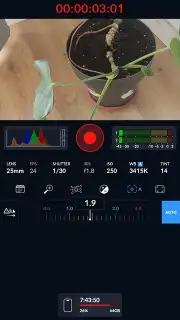
Upon launching Blackmagic Camera, users encounter a clean, logically organized interface modeled after professional cinema cameras, putting all critical functions within immediate reach without clutter. The central viewfinder is flanked by tactile digital controls for every essential setting. You gain absolute authority over exposure through manual ISO, shutter speed, and aperture simulation, while precise white balance calibration ensures accurate color science from the moment of capture. The app supports configurable frame rates and resolutions, allowing you to shoot slow-motion sequences or standard project footage tailored to your editing timeline. Furthermore, the inclusion of virtual lens profiles lets you simulate different focal lengths and sensor crop factors, enabling precise framing and compositional planning without physical gear.
Uncompromising Video Capture and Integrated Workflow
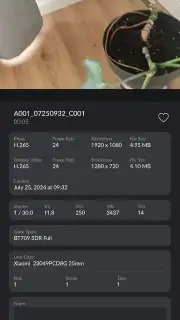
The app’s video recording capabilities are its cornerstone, designed to preserve the dynamic range and color depth characteristic of Blackmagic’s ecosystem. Activating recording via the prominent tactile control initiates capture in high-quality formats, providing a robust foundation for color grading. The integrated editor is a significant advantage, allowing for basic trimming and clip assembly directly within the app. This streamlined workflow means you can review, select, and prepare your best takes for export in professional codecs without immediately switching to a separate, more complex editing platform, maintaining focus on the footage itself.
- Achieve total manual control over ISO, shutter speed, aperture, and white balance for precise exposure.
- Record high-fidelity video with adjustable frame rates and resolutions for cinematic flexibility.
- Utilize virtual lens options to experiment with different focal lengths and creative framing.
- Edit clips directly within the app using the built-in trimming and assembly toolkit.
- Export your projects in professional formats ready for further refinement in desktop editing suites.
Start capturing cinematic footage with professional-grade control today. Download the Blackmagic Camera app now and unlock the true potential of your Android device.
Internet required. IAP available.
Information
| Version | 3.2.2.0012 |
| Developer | Blackmagic Design Inc. |
| Requirements | Android Android + 13+ |
| Updated | 17.03.2026 |
| Size | 79.33 MB |
| Package | com.blackmagicdesign.android.blackmagiccam |
| Signature | eae97a0011b6955cc812d4c0be7e97f0 |
| Architecture | armeabi-v7a, x86, arm64-v8a, x86_64 |


