

Blackmoon File Browser screenshots (6)
Description Blackmoon File Browser
Navigating Android Storage with Precision and Power
Managing files on an Android device can often feel like navigating a labyrinth without a map. The standard tools provided by the operating system are frequently insufficient for users who need to organize, preview, and manipulate a diverse library of documents, media, and archives. The Blackmoon File Browser addresses this core problem directly, offering a comprehensive and ad-free environment for total file system control. It functions as a professional-grade utility that transforms your device’s storage into a structured, easily accessible workspace, eliminating the friction typically associated with mobile file management.
A Detailed Look at Core Functionality
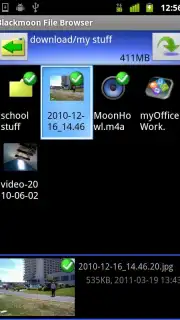
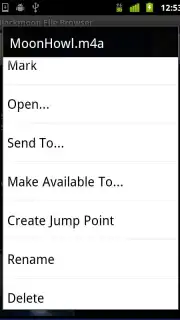
The application distinguishes itself through a robust set of features engineered for efficiency. At its foundation is support for over 100 distinct file formats, allowing for direct preview and interaction with nearly any document, image, audio, or video file you encounter. This eliminates the constant search for a compatible viewer app. Beyond simple viewing, the utility includes a fully-featured toolkit for fundamental file operations—copying, moving, renaming, and deletion are executed with precision. A particularly notable function is the ability to send multiple marked files directly via email, streamlining sharing workflows significantly. For handling compressed data, integrated ZIP archiving and extraction tools are built-in, removing the dependency on separate, often ad-laden, compression apps.
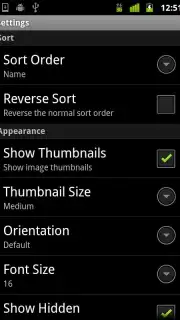
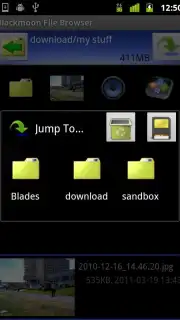
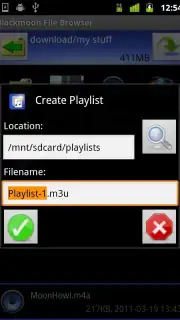
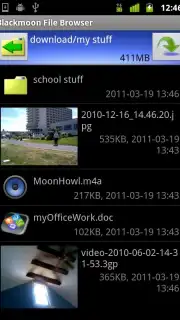
The interface introduces a productivity-focused innovation called Jump Points. This feature acts as a customizable shortcut system, enabling instantaneous navigation to any predefined folder or file location, bypassing tedious manual directory traversal. This is especially valuable for power users who frequently access deep or scattered project folders. Furthermore, the application provides visual organization through image thumbnail previews and allows for the creation of media playlists from local files, blending file management with basic media curation. The entire experience is delivered without any advertising interruptions, a commitment underscored by its optional Turbo performance enhancements.
Key Advantages for the Professional User
- Universal File Access: Seamlessly open, preview, and manage over 100 document, media, and archive formats directly within a single, unified interface.
- Advanced Navigation Tools: Utilize the innovative Jump Points system to create instant shortcuts for rapid access to your most critical files and directories.
- Integrated File Operations: Execute complex tasks including batch email sending, ZIP compression, extraction, and detailed organization without switching applications.
We suggest trying Blackmoon File Browser for anyone seeking to replace their device's basic file manager with a substantially more powerful and streamlined alternative. Consider downloading it to experience a tangible upgrade in daily file handling productivity and organizational clarity.
Internet required. IAP available.
Information
| Version | 7.8i |
| Developer | Blackmoon Info Tech Svcs |
| Requirements | Android Android + 1.5+ |
| Updated | 17.03.2026 |
| Size | 529.96 KB |
| Package | com.blackmoonit.android.FileBrowser |
| Signature | 51a4f316955394502aa63451c3e13691 |


