

BlueStacks Cloud Connect screenshots (3)
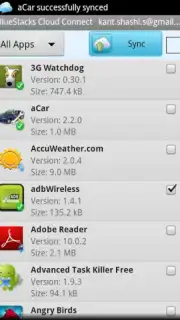
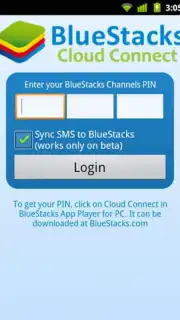
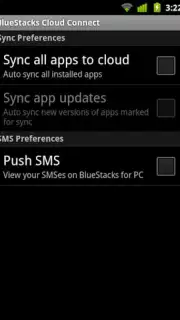
Description BlueStacks Cloud Connect
BlueStacks Cloud Connect Fundamentally Alters the Mobile-to-PC Workflow
This utility application serves as a critical bridge between an Android device and a Windows PC. Its primary function is to establish a seamless, low-latency connection with the BlueStacks desktop emulator, enabling direct remote control and mirroring of the mobile environment. The operational premise is straightforward: once paired, any application installed on the Android device can be launched and operated directly from the computer's interface. This transforms the PC into a high-resolution terminal for mobile apps, bypassing the need for separate installations or account migrations on the desktop side.
The practical applications are extensive, particularly for communication and productivity software. Services like WhatsApp and KakaoTalk, which are inherently designed for mobile ecosystems, become fully accessible on a larger screen with keyboard and mouse input. This setup is not limited to utilities; the system also supports Android gaming. Titles such as Angry Birds, Temple Run, and Where's My Water can be played on the PC, leveraging the computer's superior display resolution and processing potential for a visually enhanced experience. A significant operational note is the absence of in-app advertising within the Cloud Connect utility itself, and when used with the Turbo mode in the main BlueStacks desktop client, performance and loading times for streamed applications are markedly improved.
Core Functional Analysis
- Minimal Mobile Footprint: The Android component requires approximately 500KB of storage, functioning solely as a lightweight connection agent without duplicating app data.
- Universal App Mirroring: Executes any installed Android application from the PC, regardless of its native availability on desktop platforms.
- High-Resolution Display Output: Renders streamed mobile applications at the PC monitor's native resolution, exceeding typical mobile device pixel density.
- Integrated Desktop Ecosystem: Designed exclusively to pair with the BlueStacks desktop emulator, creating a unified Android-on-Windows environment.
- Direct Input Translation: Allows the use of physical keyboard, mouse, and gamepad controls for interacting with the mirrored mobile applications.
This tool is specifically engineered for users who operate within a hybrid mobile/desktop workflow and seek to centralize control without sacrificing mobile-specific application functionality. Its value is contingent upon the installation of the companion desktop software.
Download the BlueStacks Cloud Connect mobile app now to unlock your PC's potential. This limited-access bridge utility offers exclusive streamlined setup for the first wave of users integrating their devices today.
Disclaimer: This application requires a persistent internet connection for core mirroring functionality. It must be used in conjunction with the separate BlueStacks desktop emulator software, available via official channels. Operation may consume significant mobile data depending on usage. Some mirrored applications may contain their own advertising or require in-app purchases. Use is subject to the terms of service of both BlueStacks and the individual applications being accessed. Not all mobile applications may be optimized for this mirroring method. User discretion is advised.
Information
| Version | 20.7.0 |
| Developer | BlueStacks |
| Updated | 17.03.2026 |
| Size | 10.3 MB |
| Package | com.bluestacks.appsyncer |
| Signature | d2cb71dd6dcfe11fe2cc7b801b7a39ef |
| Architecture | armeabi, armeabi-v7a, mips, x86, arm64-v8a, mips64, x86_64 |


