

Blurrr screenshots (9)
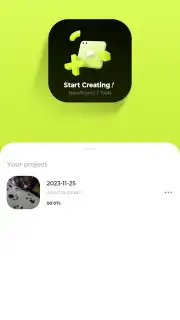
Description Blurrr
A Practical Look at the Blurrr Video Editor
The process of moving from raw footage to a polished video often involves a steep learning curve with complex software. Blurrr, developed by TBPS, approaches this challenge by structuring its editing environment around a layer-based timeline, a system typically found in professional desktop applications but streamlined for mobile use. This review examines the mechanics of the app, version 2.0.6-3.2, to assess its functionality as a comprehensive video editing tool that operates without advertising interruptions in its Turbo mode, positioning it for users seeking a more focused editing session.
Core Editing Architecture and Workflow
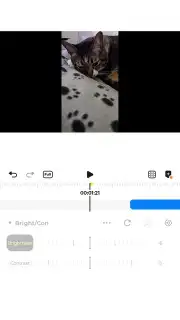
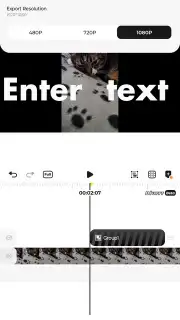
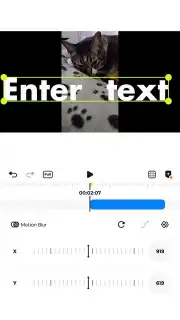
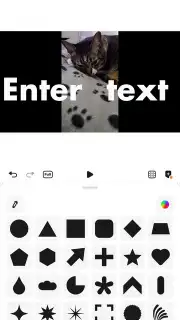
The central operational framework of Blurrr is its multi-layer timeline. Users import video clips, audio files, and static images directly into the project, where each element occupies a distinct, manipulable layer. This structure allows for precise control over the composition, enabling actions such as placing text overlays on a separate track from visual effects or synchronizing an audio track independently. The editing suite provides standard trimming and cutting tools alongside a library of filters, animated stickers, and title templates. For color correction, the app includes manual adjustment sliders for parameters like brightness and saturation, as well as more advanced color curve editors for granular tonal control.
A distinct operational mode is the AI-assisted adjustment feature. This tool analyzes the uploaded content and automatically suggests optimization settings tailored to the perceived type of footage, such as adjusting contrast for indoor scenes or saturation for outdoor clips. This functions as a starting point, particularly for newer editors, from which manual fine-tuning can begin. The absence of advertising in the core editing interface, a benefit of its Turbo functionality, ensures these tools can be accessed without disruptive breaks, maintaining workflow continuity.
- Multi-Layer Timeline Editing: Combine and manage separate tracks for video, audio, and images with precise timing control.
- AI-Powered Optimization: Receive automated, content-aware suggestions for color, brightness, and saturation adjustments.
- Ad-Free Editing Environment: Utilize the full suite of tools without promotional interruptions in Turbo mode.
Technical Specifications and Output
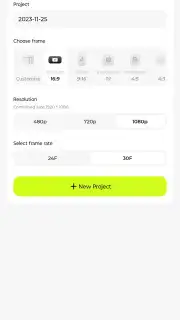
Blurrr functions as a self-contained editing studio, processing edits directly on the device. The app supports a range of standard video and image formats for import and allows for the export of finished projects in common resolutions and frame rates. The manual editing tools, including the color grading options, provide a level of detail that allows for significant customization beyond the AI recommendations. The application’s design suggests an intent to bridge the gap between simple, template-driven mobile editors and more complex professional software, by offering advanced structural control like layering while maintaining a tactile, mobile-optimized interface.
Get your professional video project started today. Download the Blurrr mobile app now to access layer-based editing and AI tools.
Disclaimer: This application requires an internet connection for initial download, potential feature updates, and access to certain online asset libraries. The app may contain in-app purchases for premium features, effects, or subscription plans. Use of the app involves the processing of video and image data on your device. Please check the product page for specific age ratings and data privacy details before installation.
Information
| Version | 2.0.6-3.2 |
| Developer | TBPS |
| Requirements | Android Android + 10+ |
| Updated | 17.03.2026 |
| Size | 243.01 MB |
| Package | ai.blurrr.video |
| Signature | 62574d8f23ee0bda88d5d62898d1676b |
| Architecture | arm64-v8a |


