


Box screenshots (13)






Description Box
A Direct Line to Your Digital Workspace
Imagine you’re on a construction site, and you urgently need to reference an architectural blueprint. Or perhaps you’re commuting and remember a critical sales report that needs a final review before a meeting. In these moments, your files aren't just data; they are the essential tools for your task at hand. The Box mobile application serves as that immediate, reliable conduit to your entire cloud-based repository, transforming any Android device into a secure terminal for your digital workspace. It moves beyond simple file viewing, establishing itself as a comprehensive hub for mobile content management and collaborative workflow.
Core Functionality and Analytical Overview
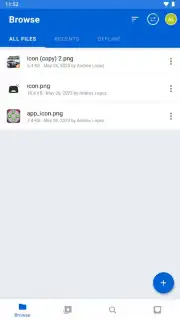
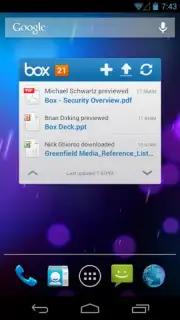
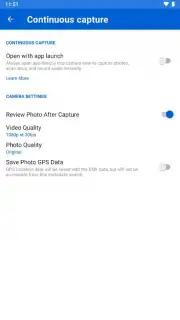
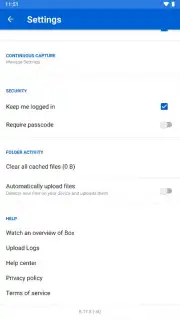
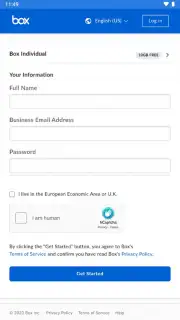
The application operates as the official mobile counterpart to the Box cloud service, providing a authenticated gateway to a user's personal or enterprise cloud storage. The primary mechanic is synchronization, creating a bidirectional flow of data between the local device and the cloud account. This allows for both the passive consumption of content and active file management. A significant analytical point is its utility as a capture tool; users can directly upload photos, videos, and documents from their device's SD card or local storage into their Box account, effectively using the app as a digital ingestion point. The collaborative framework is built into its architecture, with features designed for shared access and project commentary.
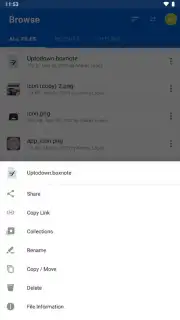
The interface facilitates granular control over file and folder permissions, enabling users to generate shareable web links—a simple yet powerful tool for distribution. Furthermore, the integrated search function acts as a necessary retrieval system, parsing metadata and file names to locate specific items within a potentially vast library. Its utility is extended by its integration with the Android ecosystem, allowing users to set Box as a save destination from within other applications, streamlining the workflow from creation to cloud storage.
Detailed Feature Breakdown
- Full Account Synchronization: Securely access, view, and download all files and folders stored in your Box cloud account directly to your Android device's memory.
- Multi-Format Content Upload: Seamlessly upload images, video clips, and document files from your device's SD card or internal storage into your designated Box cloud space.
- Advanced Sharing and Collaboration: Generate secure web links for files and folders or invite specific users to collaborate within shared workspaces with comment functionality.
- Integrated File System Search: Utilize a powerful native search engine to quickly locate specific documents, images, or videos across your entire Box account library.
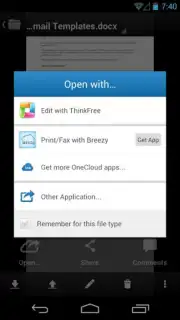
- Cross-Application Save Integration: Configure Box as a direct save destination, enabling instant backup of newly created files from other mobile applications on your device.
This version (6.58.548) represents a refined tool for users invested in the Box ecosystem. It consolidates core cloud storage operations with proactive collaborative features, removing the friction typically associated with mobile file management. The absence of advertising clutter, particularly when combined with the enhanced capabilities of a Turbo subscription, presents a focused environment designed for productivity rather than consumption.
Download the Box mobile app now—exclusive access to streamlined cloud management and a limited-time optimized experience for new users is available today only.
A standard internet connection is required for full functionality. This application may offer optional in-app purchases for premium services, including Turbo subscription plans.
Information
| Version | 6.58.548 |
| Developer | Box |
| Requirements | Android Android + 11+ |
| Updated | 17.03.2026 |
| Size | 140.16 MB |
| Package | com.box.android |
| Signature | 39e42ed7f815a6c3f9fbd251ee90050d |
| Architecture | armeabi-v7a, arm64-v8a |


