


BuildCores screenshots (5)
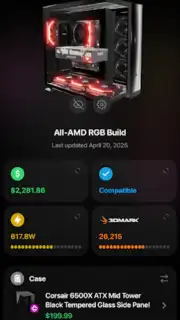
Description BuildCores
Stop Dreaming, Start Building: Your Ultimate PC Crafting Companion Is Here
Imagine holding a complete, custom-built PC in the palm of your hand before you ever spend a single dollar. That’s the precise power BuildCores delivers, transforming your smartphone into a next-generation workshop for designing your dream machine. This isn’t just another parts list generator; it’s a comprehensive ecosystem that merges a vast, live database of components with a revolutionary 3D simulation tool. The entire, often intimidating process of planning a PC build is streamlined into an intuitive, visual, and deeply satisfying experience. You move from uncertainty to absolute confidence, ensuring every component you choose not only fits together but works in perfect harmony.
Step Inside Your Build With Lifelike 3D Visualization
Forget trying to mentally picture how a massive graphics card will look inside your chosen case. BuildCores places you inside a fully interactive 3D environment where your selected components come to life. You can freely rotate your entire assembly, zoom in to inspect port alignments, and view your creation from every conceivable angle. This realistic simulation provides a true visual representation of the finished product, allowing you to assess not just technical fit but also the aesthetics and cable management possibilities. You gain the assurance that everything will physically work together long before you make a purchase, eliminating costly guesswork and returns.
Intelligent Safeguards and Real-Time Market Intelligence
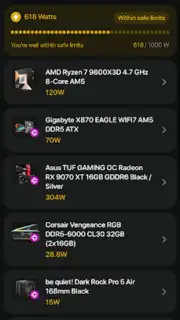
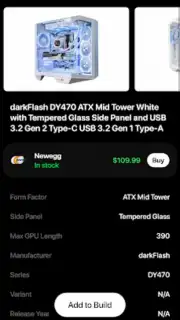
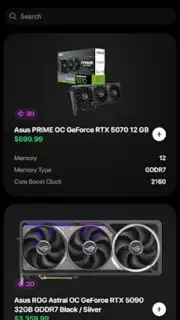
The app’s core is powered by a smart compatibility engine that acts as your personal build consultant. It automatically cross-references your selected CPU, motherboard, RAM, GPU, and power supply, checking for critical factors like socket matching, physical dimensions, thermal design power (TDP), and sufficient power delivery. This system proactively prevents the classic and expensive mistakes that can derail a build. Simultaneously, the integrated real-time price comparison tool scans multiple retailers across different regions. You see current pricing and availability at a glance, empowering you to hunt for the best deals and strategically time your purchases to maximize savings on your component budget.
Seamless Project Management and Community Sharing
BuildCores understands that you might be planning multiple systems or iterating on a single perfect design. The app allows you to create and manage an unlimited number of distinct builds through a simple account system. Save your configurations, edit them as new components launch, and export detailed specification sheets with a single tap. These comprehensive summaries are perfect for sharing on tech forums to get feedback, sending to friends for advice, or simply keeping a record of your planned setup. Whether you are a seasoned PC building enthusiast or attempting your very first build, the tools are designed to bring your ideal configurations to life with professional-grade precision.
- Realistic 3D simulation and interactive build inspection
- Live price tracking across multiple global retailers
- Advanced automatic compatibility checking engine
- Save, manage, and export unlimited PC build projects
This is your exclusive access to professional-grade PC building tools, completely free of ads. For a limited time, new users can experience the full power of the Turbo-enhanced features. Download the BuildCores mobile app now and start constructing the PC you’ve always visualized today—your perfect build is waiting.
Internet required. IAP available.
Information
| Version | 2025.7.1 |
| Developer | BuildCores |
| Requirements | Android Android + 10+ |
| Updated | 17.03.2026 |
| Size | 65.88 MB |
| Package | com.buildcores.buildcores |
| Signature | 130017df718197a569bc5dcb44c1b63f |
| Architecture | arm64-v8a |


