


Button Mapper: Remap your keys screenshots (13)
Description Button Mapper: Remap your keys
A Practical Review of Button Mapper for Android Customization
Many Android users accept the default behavior of their device's physical buttons as an unchangeable hardware limitation. The volume rocker adjusts sound, the power button locks the screen—this is simply how the device works. However, a deeper examination of the Android ecosystem reveals that these hardware inputs can be intercepted and reassigned through software, a process known as key remapping. Button Mapper: Remap your keys by developer flar2 operates within this technical space, providing a systematic interface for users to redefine the function of every physical button on their device. This review analyzes the application's mechanics, its tiered feature set between free and premium versions, and its practical utility for streamlining device interaction.
Core Functionality and Feature Analysis
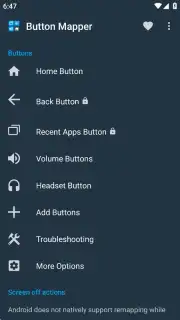
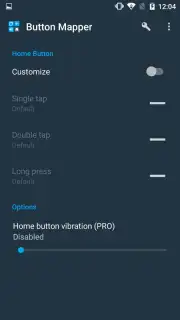
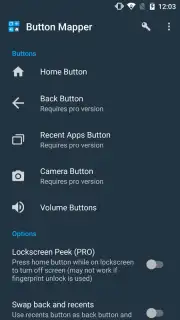
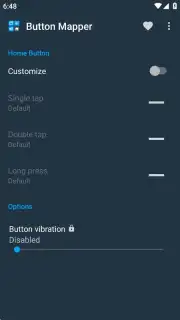
The primary function of Button Mapper is to decouple a physical button's default system action from its output. The application targets the standard hardware buttons present on virtually all Android devices: the power button and the volume up/down buttons. It inserts a software layer that captures the button press event before the operating system can process it, allowing a user-defined action to be executed instead. The fundamental mechanic is the assignment of distinct actions to different press patterns. For each physical button, users can configure a unique response for a single press, a double-tap, and a long press, effectively tripling the functional utility of each hardware component.
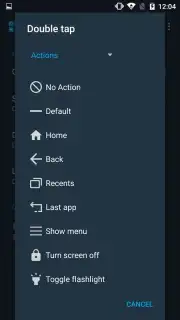
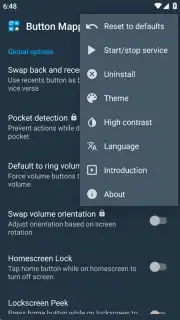
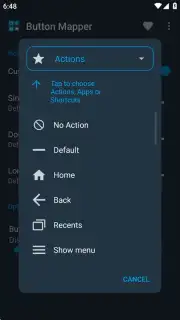
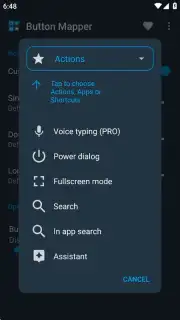
The application offers a broad library of assignable actions, moving far beyond simple media controls. Users can map button presses to launch specific applications, toggle system settings like flashlight or rotation lock, simulate the standard back or recent apps navigation keys, control media playback, or even execute custom shortcuts. A notable operational feature is the one-touch service toggle, accessible via a menu in the application's interface. This allows all remapping profiles to be instantly enabled or disabled without deleting configurations, useful for troubleshooting or temporarily restoring default button behavior. The interface itself includes options for visual themes and a high-contrast mode, addressing basic accessibility.
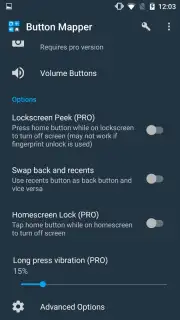
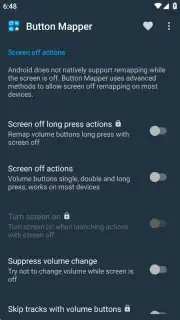
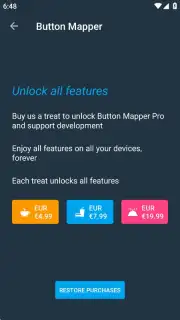
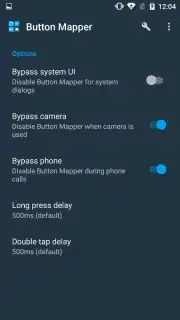
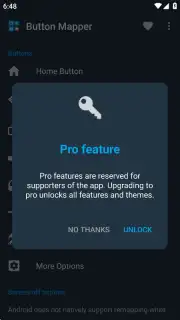
The application employs a freemium model. The free version permits remapping of a limited subset of buttons, typically restricting access to the power button or advanced actions. Upgrading to the Pro version, a one-time permanent license, removes all restrictions. The Pro tier unlocks the ability to remap every button, including advanced configurations for when the screen is off—such as using volume keys to skip music tracks—and access to more granular action delays and hold durations. A stated advantage of the Pro version is the complete absence of advertisements, which are present in the free tier.
- Multi-Press Action Layers: Configure separate commands for single, double, and long presses on each hardware button, creating up to three distinct functions from one physical key.
- Advanced Pro Features: Gain the ability to remap buttons while the screen is off and access exclusive actions like track skipping, available only after a one-time license purchase.
- Runtime Service Toggle: Instantly activate or deactivate all button remappings via a master switch in the app menu, allowing for quick reversion to default system behavior.
Verdict on Utility and Implementation
From a technical standpoint, Button Mapper performs its core remapping function reliably on supported devices, requiring standard accessibility permissions to intercept button events. Its value proposition is efficiency; by linking frequent tasks to a hardware button press, users can reduce navigation steps and save time. It is a tool aimed at power users and enthusiasts seeking to personalize device interaction beyond manufacturer defaults. The clear division between free and Pro features allows for testing before commitment, and the permanent license model is straightforward.
Do not settle for the default limitations of your device's hardware. Take direct control and configure your Android phone or tablet to work exactly according to your personal workflow. Download Button Mapper: Remap your keys now and install the APK to begin customizing immediately.
Note: This application requires an active internet connection for initial license verification and may contain in-app purchases for the Pro version upgrade. Functionality may vary depending on device manufacturer and Android version.
Information
| Version | 4.09 |
| Developer | flar2 |
| Requirements | Android Android 8.1+ |
| Updated | 15.09.2026 |
| Size | 14.43 MB |
| Package | flar2.homebutton |
| Signature | eea505590523a0be70cc6a1f1002cb571db82c2b |
| Architecture | arm64-v8a |


