


Button Savior (non root) screenshots (7)

Description Button Savior (non root)
Your Screen, Reimagined
Imagine navigating your phone without ever touching the physical buttons. The power button feels stiff, the volume rocker is worn, or perhaps you simply want a smoother, more accessible way to control your device. That moment of frustration when a hardware button fails is now a thing of the past. This tool places a sleek, customizable control panel directly onto your screen, turning every interaction into a fluid, effortless gesture.
A Virtual Command Center at Your Fingertips
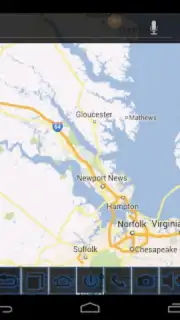
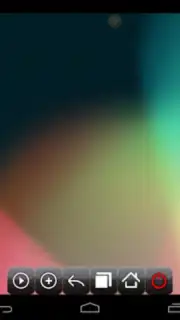
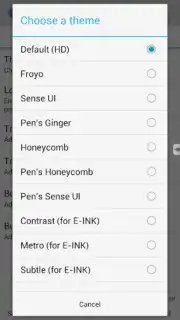
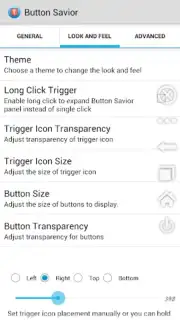
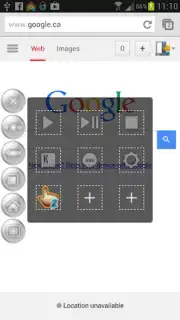
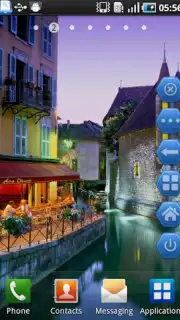
Button Savior creates a persistent, semi-transparent overlay that grants you instant access to essential system functions. This isn't just a simple button remapper; it's a complete virtual navigation suite designed for one-handed ease. You can summon a clean, intuitive menu with a simple swipe from the edge of your screen, putting controls like back, home, recent apps, notifications, and power options right where your thumb naturally rests. The layout is fully adaptable, allowing you to choose between a compact circular dial or a vertical sidebar, each with adjustable size and transparency so it never obstructs your view. For quick actions, you can lock the screen, adjust media volume, or take a screenshot without ever fumbling for a physical key. The app operates without requiring root access, making advanced navigation safe and simple to set up on any compatible device.
Why This Tool Becomes Indispensable
The true advantage lies in how it seamlessly integrates into your daily use, reducing physical wear on your phone and enhancing accessibility. The interface is designed for clarity and speed, ensuring that every virtual button press feels immediate and reliable. You gain precise control over the panel's behavior, from its activation zone to its hibernation during full-screen apps, making it a discreet yet powerful companion.
- Create a fully customizable floating control panel with adjustable size and opacity.
- Access back, home, recent apps, and notifications with a single touch.
- Lock your screen or trigger quick settings without the physical power button.
- Enjoy enhanced navigation and accessibility without needing root permissions.
- Configure swipe gestures and tailor the panel's position for perfect one-handed use.
We suggest trying Button Savior (non root) to experience a new level of convenient control and prolong the life of your device's hardware buttons.
Heads up: you'll need wifi for initial download. Some advanced customization options are extra. Requires Android 8.0 or above.
Information
| Version | 2.5.4 |
| Developer | Kiumiu.CA |
| Requirements | Android Android + 8.0+ |
| Updated | 17.03.2026 |
| Size | 9.32 MB |
| Package | com.smart.swkey.nonroot |
| Signature | e4339a8f81dd4e1dee502c377e224355 |
| Architecture | universal |


