


Calca App screenshots (7)
Description Calca App
From Digital Sketch to Physical Art: A Tool for Translating Images
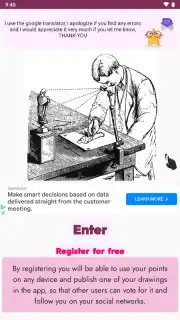
There is a persistent gap between the digital image on your screen and the blank page in front of you. Translating a complex screenshot, a favorite photograph, or a digital sketch into a hand-drawn physical artwork often requires a steady hand and a sharp eye for proportions, a process that can be daunting. The Calca App, developed by ApliArte Erbolamm TutoGrati, addresses this specific creative friction point. It functions not as a drawing application itself, but as a sophisticated modern tracing aid, a digital camera lucida for the Android platform. By leveraging your device's camera in a novel way, it provides a real-time overlay guide, effectively bridging the digital and physical realms for artists, hobbyists, and crafters.
Core Mechanics and Practical Application
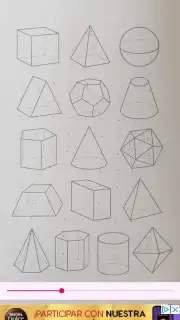
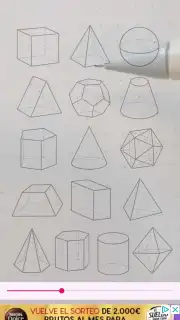
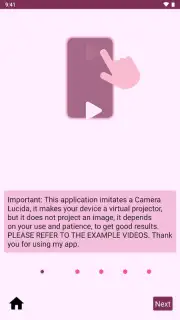
The operational principle of Calca App is elegantly straightforward, focusing on utility over unnecessary complexity. The application accesses your device's camera feed and allows you to superimpose a selected image directly onto this live view. This creates a translucent guide that appears to float over your physical paper or canvas. The critical step for optimal results is device stabilization; placing your phone or tablet on a stand or propping it securely is recommended to maintain a consistent perspective and free both your hands for the drawing process. This transforms your Android device from a passive screen into an active drawing assistant.
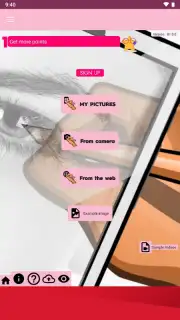
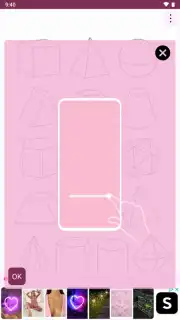
The utility extends beyond simple tracing. Users can import source material from virtually anywhere: personal gallery images, downloaded pictures from the web, or new photographs taken on the spot for immediate tracing. This flexibility means the app can be used to replicate a pencil sketch, transfer a digital mural design onto a wall, outline a screenshot onto a whiteboard, or capture a landscape for a detailed drawing. The core tools are precision-focused: you can adjust the overlay's transparency to find the perfect balance between guide visibility and your emerging lines, and reposition or scale the image to fit your drawing surface exactly.
Key Feature Breakdown
- Multi-Source Image Import: Directly pull images from your device's gallery, take a new photo with the camera, or import pictures from the internet to serve as your tracing template.
- Adjustable Overlay Control: Precisely fine-tune the transparency and on-screen position of your guide image for optimal visibility and alignment with your physical medium.
- Versatile Surface Compatibility: The system works effectively on standard paper, sketchpads, walls, presentation boards, and other flat surfaces suitable for drawing.
For anyone seeking a practical method to practice drawing techniques, replicate designs, or bring digital creations into the physical world, this tool offers a focused solution. The process of watching a digital image seamlessly become a hand-crafted piece is uniquely satisfying.
We suggest trying Calca App to experience this direct translation from screen to sketch.
Download the Calca App mobile app now.
Disclaimer: This application requires an internet connection for certain features like web image import. The app may contain in-app purchases. Use of the camera and storage permissions is necessary for core functionality. Please be aware of your data usage and ensure your device is compatible with the app version. User discretion is advised.
Information
| Version | 88.0.0 |
| Developer | ApliArte Erbolamm TutoGrati |
| Requirements | Android Android + 5.0+ |
| Updated | 17.03.2026 |
| Size | 19.5 MB |
| Package | com.apliarte.calcaapp |
| Signature | e0d627f1cffb9b9a512d3e4f2d8ab675 |
| Architecture | armeabi-v7a, x86, arm64-v8a, x86_64 |


