

Calendar Widget screenshots (4)
Description Calendar Widget
What if your calendar was always visible without ever opening an app?
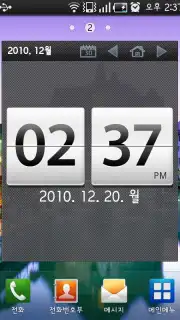
The Calendar Widget mobile app by ONYCOM, INC. transforms your home screen into a direct portal to your schedule. This tool addresses the core inefficiency of traditional calendar management, where checking dates and appointments requires multiple taps and app switches. By placing a fully functional, glanceable calendar directly on your home screen, it eliminates friction and provides immediate access to your daily, weekly, and monthly plans. The design philosophy centers on utility and time-saving, making it a foundational productivity upgrade for any Android device running version 6.0 or higher.
Core Features and Customization Mechanics
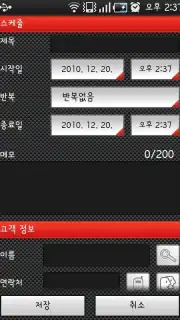
The application operates by providing a suite of highly configurable widgets that pull data directly from your device's default calendar applications. Users can select from multiple widget formats, including month-view grids, agenda lists for upcoming events, and hybrid views that combine both. Each widget acts as a live window, displaying real-time event details such as titles, times, and locations. The primary user interaction involves long-pressing on the home screen to add a widget, followed by tapping the placed widget to enter a dedicated configuration panel. Within this panel, users adjust visual parameters and data filters without needing to navigate into a separate full-screen application, maintaining a streamlined setup process.
Key Advantages in User Experience and Performance
The defining strength of this mobile app is its commitment to a lightweight, non-intrusive user experience. The widgets are designed for high clarity and readability, with customizable themes that allow for seamless visual integration with any home screen aesthetic. Performance is optimized for minimal battery and data usage, as the widget primarily serves as a viewer for locally stored calendar information. The configuration is deep yet accessible, offering control over font sizes, color schemes for different event types, and transparency levels, ensuring the tool adapts to the user's needs rather than demanding adaptation from the user.
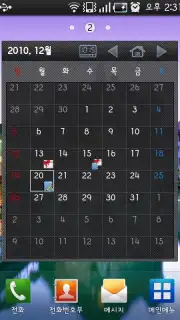
- Always-On Month View: Place a complete, interactive monthly calendar directly on your home screen for at-a-glance planning.
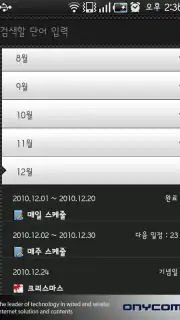
- Dynamic Agenda Widget: See your upcoming events and meetings in a clean, scrolling list that updates in real time.
- Deep Visual Customization: Tailor widget colors, fonts, and opacity to match your phone's wallpaper and icon pack perfectly.
Download Calendar Widget now—exclusive access for the first users ensures a premium, ad-free setup experience today only.
Heads up: you'll need wifi for initial setup and syncing. Some advanced theme packs are extra.
Information
| Version | 1.38 |
| Developer | ONYCOM, INC. |
| Requirements | Android Android + 6.0+ |
| Updated | 17.03.2026 |
| Size | 3.44 MB |
| Package | com.onycom.android.calendar |
| Signature | a8378db5c589a9a7eaac97e2279e8a8a |
| Architecture | armeabi-v7a, x86, arm64-v8a, x86_64 |


