

Camera Assistant screenshots (4)
Description Camera Assistant
Unlock the Full Technical Potential of Your Samsung Camera System
Camera Assistant is a dedicated system-level configuration utility developed by Good Lock Labs for Samsung Galaxy devices. It provides granular control over the camera's automated behaviors and processing algorithms, transforming the standard shooting experience into a customizable workflow. This tool is designed for users who require precise management of image capture parameters beyond the default settings offered in the native camera application. By interfacing directly with the camera hardware and software, it allows for the adjustment of specific photographic functions that are typically managed automatically.
Detailed Functionality and System-Level Adjustments
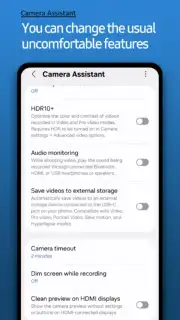
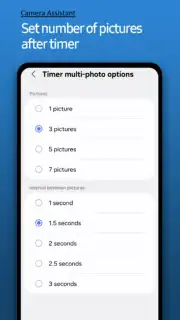
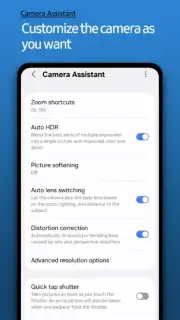
The application serves as a centralized panel for toggling Samsung's proprietary image processing features. You can disable automatic face smoothing to retain natural skin texture or enforce its application for consistent results. The utility provides direct access to timer settings and configures burst shot modes, determining the number of frames captured per second. For portrait photography, it allows the adjustment of zoom level behavior within the portrait mode to frame subjects precisely. A key function is the ability to set a shutter speed limit, which can reduce motion blur in specific shooting conditions by overriding the system's default automatic selection.
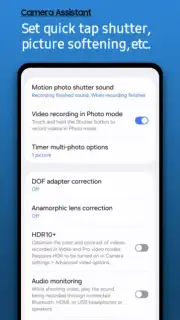
The Turbo-enabled architecture ensures all processing toggles and settings apply without lag, maintaining the camera's operational speed. The Quick Tap Shutter function remaps the capture control, enabling instantaneous photo capture with a single tap on the shutter button, bypassing any focus hold delay. The app also houses the master switches for multi-frame processing engines, letting you independently enable or disable HDR auto-enhancement and the multi-frame image synthesis technology that combines several shots for optimal detail and noise reduction.
Core Feature Overview
- Toggle face smoothing algorithms
- Configure timer and burst modes
- Adjust portrait zoom behavior
- Limit maximum shutter speed
- Enable instant Quick Tap Shutter
- Control HDR and multi-frame processing
System Integration and Compatibility Specifications
Camera Assistant integrates seamlessly into the One UI system interface, appearing as a native settings module within the camera ecosystem. Its functionality is dependent on Samsung's system-level APIs and is currently optimized for specific Samsung Galaxy models. The available options and menu structures may vary depending on the device model, Android version, and camera hardware capabilities. A stable internet connection may be required for initial download and validation through the Galaxy Store or associated platform.
Download this essential configuration tool now to gain administrative-level control over your Samsung camera's imaging pipeline. Install immediately and configure every parameter.
Internet required. IAP available.
Information
| Version | 3.0.00.3 |
| Developer | Good Lock Labs |
| Requirements | Android Android + 15+ |
| Updated | 17.03.2026 |
| Size | 10.17 MB |
| Package | com.samsung.android.app.cameraassistant |
| Signature | d087e72912fba064cafa78dc34aea839 |
| Architecture | armeabi-v7a, arm64-v8a |


