

Chromavid screenshots (4)
Description Chromavid
What if your photos could capture the mood, not just the moment?
Chromavid moves beyond basic filters, offering a professional-grade toolkit for photographers who want to infuse their images with precise color narratives and cinematic depth. It addresses the common frustration of flat, lifeless color correction by providing granular control over every hue, shadow, and highlight, transforming raw captures into cohesive visual stories. This app is for creators who see color as the primary emotional language of their photography.
Features / Gameplay
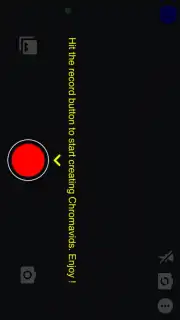
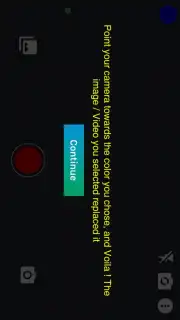
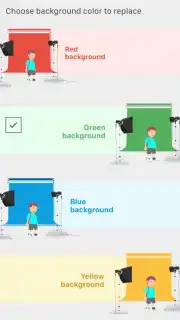
The core of Chromavid is its advanced color grading system, which functions like a digital darkroom and a colorist’s suite combined. You begin by importing any photo, where the app’s intelligent engine analyzes the color composition and suggests balanced starting points. The real mechanics unfold in the dedicated workspace, where you manipulate individual color channels, adjust luminance for specific hues, and apply nuanced split-toning to separate shadows from highlights. A unique comparative view allows you to work on multiple grading variations side-by-side, ensuring every adjustment is deliberate. The process is less about applying a one-click look and more about constructing a color grade layer by layer, with real-time visual feedback that teaches you the impact of each slider.
Key Advantages
Chromavid distinguishes itself through a commitment to both power and precision. The interface, while dense with professional options, is logically organized into collapsible panels, preventing overwhelm and keeping the focus on the image. Performance is optimized for mobile workflows, with non-destructive editing and snapshot history allowing for complete creative freedom without risk. The visual output is characterized by its clean, artifact-free renders that maintain full image fidelity, ensuring your graded photos are ready for high-resolution display or print.
- Advanced Color Wheels & Curves: Take pinpoint control over shadows, midtones, and highlights with independent RGB curves and intuitive wheel interfaces for professional grading.
- Selective Color Adjustment Tool: Isolate and modify the saturation, luminance, and hue of any single color in the frame without affecting the rest of the image.
- Custom Preset & LUT System: Build, save, and import your own signature color profiles or professional 3D LUTs to apply consistent styles across projects instantly.
Start crafting your signature visual style today. Download Chromavid now and transform your gallery.
Heads up: you'll need wifi for initial download and preset sync. Some premium LUT packs and advanced export options are extra.
Information
| Version | 2.6 |
| Developer | Apps For Mobs |
| Requirements | Android Android + 6.0+ |
| Updated | 17.03.2026 |
| Size | 68.15 MB |
| Package | com.appsformobs.chromavid |
| Signature | 1829cb31c7b431a59bc682d76e2f4712 |
| Architecture | armeabi, armeabi-v7a, mips, x86, arm64-v8a, x86_64 |


