


Citrix Workspace screenshots (10)
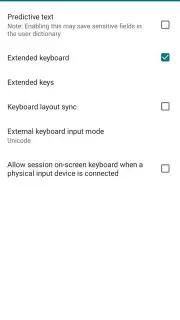
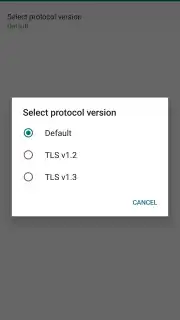
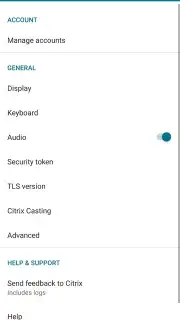
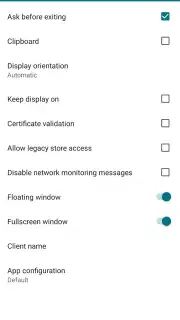
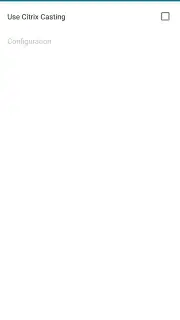
Description Citrix Workspace
Never Juggle Apps Again: Unify Your Entire Workflow in One Secure Hub
Tired of constantly switching between different apps, browsers, and logins just to get your work done? Scattered tools and multiple passwords create friction, slow you down, and can introduce security risks. Citrix Workspace eliminates this fragmentation by delivering your entire corporate digital environment—applications, desktops, files, and internal websites—directly to your Android device through a single, secure portal. It transforms your smartphone or tablet into a powerful, mobile extension of your office PC, providing a seamless and consistent experience no matter where you are. With one login, you gain unified access to everything your IT department has provisioned, streamlining your productivity and maintaining enterprise-grade security outside the office walls.
Core Functionality and Technical Capabilities
Citrix Workspace establishes a secure, virtualized connection to your company's Citrix infrastructure. This is not merely a file viewer or a simple email client; it is a comprehensive portal that virtualizes your work environment. The application renders remote Windows desktops, individual virtualized applications (like specialized engineering software or legacy systems), and modern SaaS tools (such as Salesforce or Workday) directly on your mobile screen. Performance is enhanced with proprietary technology that optimizes data transmission for responsiveness, even on cellular networks.
The integration goes beyond simple access. The platform supports deep interaction between your local device and the remote session. You can seamlessly copy and paste text or files between your local Android storage—including connected USB drives—and the virtual applications. This bidirectional flow means you can download a report from a corporate database directly to your device for offline review, or upload a photo from your gallery into a virtual design tool. Furthermore, the app can channel specific device sensor data, like accelerometer or ambient light readings, to server-side applications that require them, enabling scenarios where a remote 3D modeling app responds to your device's movement or adjusts its interface brightness automatically.
Security is architecturally embedded, not an afterthought. All connections are encrypted end-to-end, and access is governed by your organization's centralized policies. The app can integrate with Citrix SecureHub for mobile device management (MDM) and utilize a built-in VPNService to create a secure tunnel for accessing internal web resources. This ensures that corporate data never resides unprotected on your device and that all network traffic is shielded from interception, providing a secure alternative to exposing internal systems to the public internet.
Key Features at a Glance
- Access virtualized Windows apps & desktops
- Single sign-on for all corporate resources
- Secure file sharing with local device storage
- Encrypted connections with integrated VPN
Download the Mobile App Now
Stop compromising between mobility and capability. We strongly recommend downloading Citrix Workspace to consolidate your scattered work tools into a single, powerful, and secure interface. Experience the freedom of full workplace access from anywhere, with the performance and security your business demands. Install it today to unlock a truly integrated mobile workday.
Disclaimer: This application requires an active internet connection for full functionality and a pre-configured account provided by your organization's IT department. It may utilize VPN services and enforce specific security policies set by your company administrator. Data usage depends on the type of remote applications and files being accessed. Some features require integration with other Citrix services (e.g., Citrix Files, SecureHub). Please consult your IT administrator for access, supported features, and specific corporate usage policies.
Information
| Version | 25.9.0 |
| Developer | Citrix Systems, Inc |
| Requirements | Android Android + 13+ |
| Updated | 17.03.2026 |
| Size | 53.04 MB |
| Package | com.citrix.Receiver |
| Signature | 9d05a5bec99e3b756515b7bb9aa65429,a026a43c050a21a2b74ca4811a749d33 |
| Architecture | armeabi-v7a, arm64-v8a |


