

Clipboard Contents screenshots (4)
Description Clipboard Contents
Clipboard Contents Transforms Your Android Clipboard Into a Multi-Tool
This application redefines the standard clipboard function on Android devices, moving beyond single-copy-paste operations to offer a managed, persistent content library. It functions as a dedicated workspace for text, allowing users to capture, edit, organize, and retrieve multiple text snippets on demand. The core utility lies in its ability to break the one-item limitation of the default system clipboard, which is a significant bottleneck for anyone handling repetitive or template-based text entry on a mobile device.
Functional Analysis and Core Mechanics
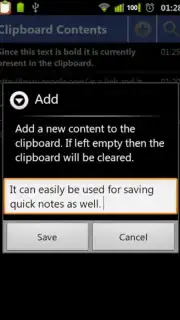
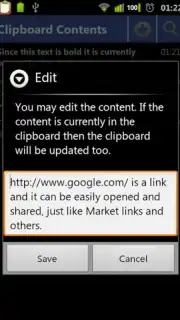
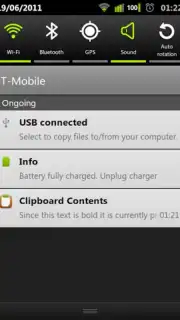
The app operates by continuously monitoring and logging content copied to the Android clipboard. Each captured text fragment becomes an editable and savable entity within the app's internal database. This process effectively creates a searchable history of all copied text, preventing the common frustration of a previous copy being overwritten and lost. The editing feature is straightforward, allowing for direct modifications to any saved snippet before re-copying it to the active system clipboard for pasting elsewhere. A critical operational feature is its deep integration with the Android Quick Search Bar, enabling users to query their entire clipboard history from any screen without first opening the main application interface, which streamlines workflow considerably.
For data security and cross-device continuity, the application provides a cloud synchronization capability. This function uploads saved clipboard items to a secure cloud account, safeguarding them against accidental app deletion or device changes. Restoration is a straightforward process upon reinstalling the app and logging in. The optional Turbo mode, available via in-app purchase, is noted for removing all advertising elements from the experience, presenting a clean, uninterrupted interface focused solely on productivity.
- Persistent Multi-Item Clipboard: Maintains a full history of copied text, allowing storage and instant access to dozens of snippets beyond the system's single-slot limit.
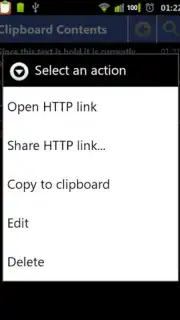
- Inline Text Editing and Management: Directly edit, label, or organize any saved clipboard item before sending it back to the system clipboard for use.
- System-Wide Quick Search Integration: Access and search your entire clipboard history directly from the Android Quick Search Bar for rapid retrieval.
- Cloud Backup and Sync: Securely saves all clipboard data to the cloud, enabling full recovery after app reinstallation or when switching devices.
- Ad-Free Turbo Experience: An optional upgrade removes all advertisements, providing a streamlined and focused user interface for professional use.
Start building your accessible text library and claim your productivity advantage now.
Heads up: you'll need wifi for cloud sync features. Some cool stuff, like the ad-free Turbo mode, is extra.
Information
| Version | 7.1.2.169 |
| Developer | Martin |
| Requirements | Android Android + 4.1, 4.1.1+ |
| Updated | 17.03.2026 |
| Size | 2.98 MB |
| Package | com.martino2k6.clipboardcontents |
| Signature | b6db2a2ef990051d8d7b52474f10fbed |
| Architecture | universal |


