

Clipboardr screenshots (16)
Description Clipboardr
Your Clipboard, Finally Under Control
Imagine you're in the middle of a research project, juggling quotes, links, and data points between a dozen browser tabs and your notes app. You copy a crucial statistic, but then a friend messages you, and you copy a funny meme to send back. Where did that important number go? It's lost in the void, forcing you to retrace your steps and break your flow. This is the daily frustration Clipboardr is designed to eliminate. This isn't just another utility; it's a persistent, intelligent memory for everything you copy, transforming a fundamental but flawed system function into a powerful productivity hub. You stop losing information and start commanding it.
A Central Hub for Everything You Copy
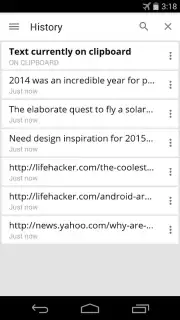
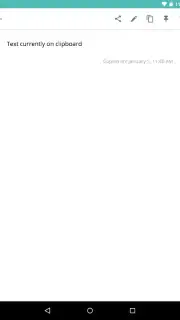
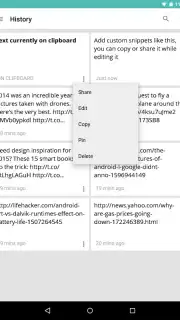
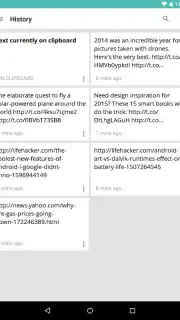
Clipboardr operates silently in the background, creating a searchable, permanent record of your clipboard activity. The moment you copy any text—a paragraph from an article, a tracking number from an email, a Wi-Fi password a friend just shared—it's captured and organized. The true magic happens in the notification panel, where you have instant, permanent access to this history without ever switching apps. You simply pull down your notification shade, and your last copied items are right there, ready to be tapped to copy again or shared directly. This seamless access turns a momentary action into a reusable resource.
Designed for Power and Simplicity
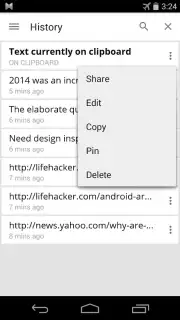
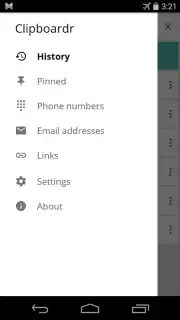
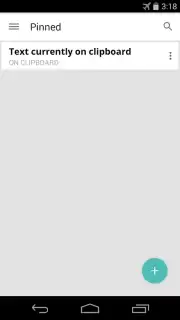
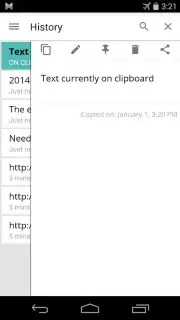
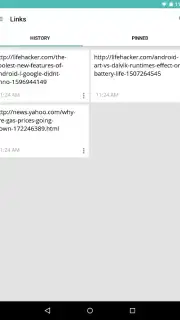
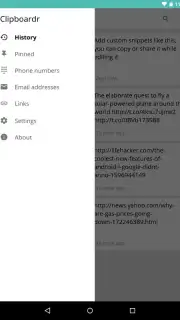
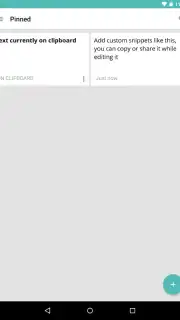
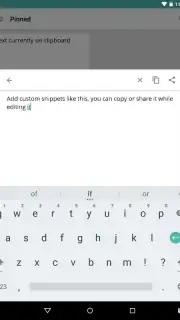
The application’s design philosophy centers on giving you robust control without complexity. Your clipboard history is preserved for a rolling three-day period, providing ample context without clutter. Within this history, you can perform powerful bulk actions: select multiple items and delete them all at once, or long-press any entry to pin it. Pinned items defy the three-day rule, staying saved indefinitely until you choose to remove them, perfect for serial numbers, addresses, or frequent replies. For deeper organization, the built-in filters automatically categorize your text. You can instantly surface all copied URLs, email addresses, or phone numbers, turning a messy list into a structured database.
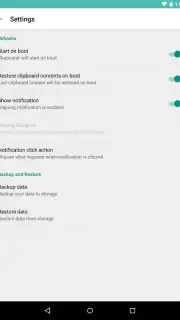
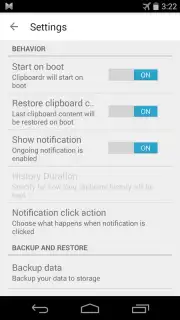
Beyond management, Clipboardr ensures resilience. A core feature allows the app to automatically restore your clipboard history after a device reboot, so a system restart doesn’t wipe your carefully saved snippets. This, along with all other behaviors, is configurable in a straightforward settings menu. The experience is fully optimized for both phones and tablets, with a recommendation to keep the app installed on internal device storage to guarantee its auto-start features work flawlessly every time.
- Persistent Notification Panel Access: View, re-copy, and share recent clips directly from your pull-down menu, with zero app switching.
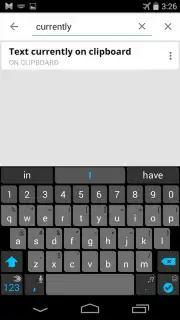
- Three-Day Searchable History: Every piece of text you copy is saved and made fully searchable for 72 hours.
- Pin Vital Items: Secure important text snippets—like passwords or codes—indefinitely by pinning them to the top of your history.
- Smart Content Filtering: Instantly filter your entire clipboard history to show only URLs, email addresses, or phone numbers.
- Bulk Management Tools: Efficiently clean your history by selecting and deleting multiple entries in one action.
- Survival-Proof Design: Features automatic clipboard restoration after device reboots to prevent data loss.
- Universal Device Optimization: Provides a smooth, consistent experience across all Android phones and tablets.
Download Clipboardr Now
Stop letting valuable information slip through your fingers every day. This is your exclusive chance to upgrade a core system function on your device. For a limited time, experience the definitive clipboard management solution that power users rely on. Transform how you handle text forever—download Clipboardr immediately and take full control of your digital workflow.
Download mobile app now
Technical Disclaimer: This application requires an internet connection for initial download and potential updates. The app may offer in-app purchases for additional features or enhancements. Functionality on certain devices may vary.
Information
| Version | 1.0.4 |
| Developer | Isaias Matewos |
| Updated | 17.03.2026 |
| Size | 1.5 MB |
| Package | com.isaiasmatewos.clipboardr |
| Signature | f71976d33252a0f039b1ffab99f429bc |




