

ClipDrop screenshots (7)
Description ClipDrop
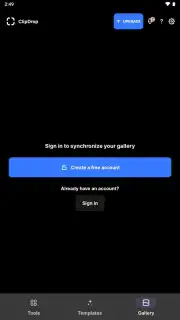
Imagine needing to remove a coffee cup from a photo, but instead of tedious manual editing, you simply point your phone’s camera at the cup and watch it vanish into thin air. This is the core promise of ClipDrop, a mobile application that feels less like a traditional photo editor and more like a portal to a new way of interacting with the visual world around you. It transforms the physical into the digital with a startling immediacy that redefines what’s possible on a smartphone.
Core Functionality and Mechanics
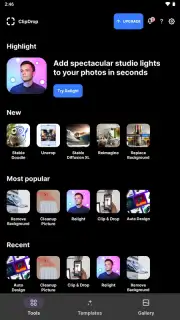
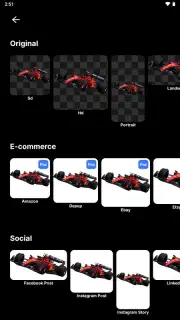
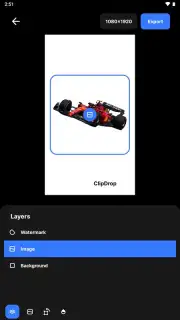
ClipDrop operates on a principle of spatial capture and AI-powered manipulation. Its primary mode allows you to use your camera to ‘lift’ any object or person from your real-world environment. The app processes the scene in real-time, generating a clean, high-resolution cutout with a transparent background that is instantly saved to your device’s clipboard. This captured asset can then be ‘dropped’ directly into any other compatible app, document, or design project. Beyond this flagship feature, the suite includes tools for cleaning up images by removing unwanted elements, relighting scenes with artificial light sources, and upscaling low-resolution pictures without losing detail. The workflow is designed for speed, turning a multi-step desktop process into a single, fluid action performed in your immediate surroundings.
Key Advantages and User Experience
The app’s distinct advantage lies in its seamless integration of AR capture and professional-grade AI processing. The user experience is built for efficiency, minimizing the friction between seeing an object and having it as a usable digital asset.
- Instant Object Extraction: Capture any item from your surroundings in seconds with a clean, ready-to-use cutout.
- Universal Paste Functionality: Drop extracted images directly into other apps like PowerPoint, Photoshop, or messaging.
- Advanced Cleanup Tool: Remove photobombers, wires, or text from images with a simple brush stroke.
- AI-Powered Relighting: Adjust the lighting and shadows on objects after capture to match any new scene.
- High-Quality Upscaling: Enlarge images up to 4x their original size while preserving sharp details.
This is more than an editor; it’s a productivity multiplier for creators, students, and professionals who work with visual content.
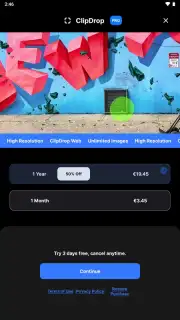
Download ClipDrop now and experience the future of visual capture. For a limited time, new users receive exclusive access to premium features.
Heads up: you'll need wifi for most AI processing features. Some cool stuff is extra.
Information
| Version | 3.3.8 |
| Developer | Init ML |
| Requirements | Android Android + 8.0+ |
| Updated | 17.03.2026 |
| Size | 11.47 MB |
| Package | app.arcopypaste |
| Signature | d2ae410e964bc4502f76249bb6bb62c1 |
| Architecture | armeabi-v7a, x86, arm64-v8a, x86_64 |


