

Clock Widgets screenshots (7)
Description Clock Widgets
A Review of Clock Widgets: The Unseen Craft of Screen Personalization
There is a quiet moment each morning when you first glance at your phone—a blank screen waiting to become something more than a grid of icons. For years, this space was purely functional. Clock Widgets by AlgoTex approaches this moment not as a task, but as an opportunity for curation. This is not merely another personalization app; it is a toolkit for designing the ambient interface of your daily life. It operates on a simple, powerful premise: the information you need most, the time, should be presented not just clearly, but beautifully, transforming your Android home and lock screens into a personalized dashboard that balances utility with deliberate aesthetic choice.
Functional Art: Deconstructing the Widget and Wallpaper Library
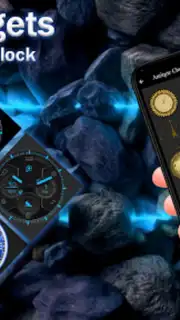
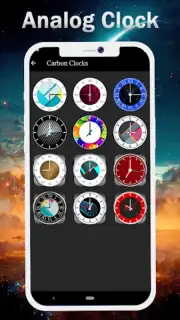
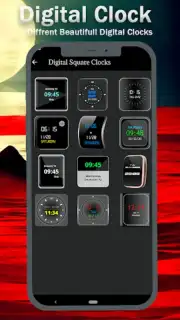
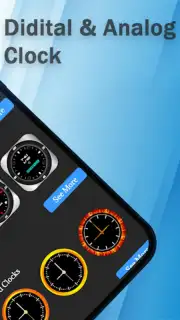
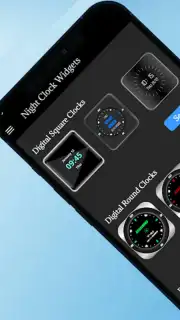
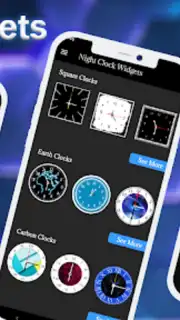
The core offering is a library of widgets, but to call it that undersells the depth of customization. Each widget is treated as a modular design element. The analog collection is particularly noteworthy, featuring designs that range from intricate vintage faces with sweeping second hands to stark, minimalist dials where the only movement is a subtle shadow. The animation here is key—it’s not a jerky update but a fluid, mechanical sweep that mimics real-world precision. The digital widgets occupy the opposite end of the spectrum, offering bold, futuristic typefaces and sleek, monospaced fonts. Critically, each digital widget’s font, color, and background can be dissected and reassembled; you can have a neon-red time on a dark grey panel or a soft cyan on pure black, adjusting for legibility and style with a few taps.
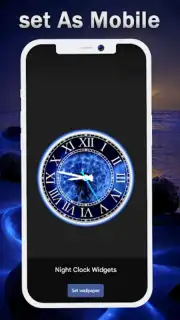
Beyond the widgets, the live wallpaper feature is where the app’s ambition becomes fully clear. These are not static images with a clock overlay, but dynamic canvases where the time is integrated into the artwork itself—shifting with the day’s light or serving as a focal point on an AMOLED-black background. A particularly practical feature is the dedicated screensaver mode for charging. When you dock your phone, it can transform into a dedicated bedside or desk clock display, showing a large, clean time readout, turning a routine action into a functional display moment. The absence of advertising on the widgets themselves is a deliberate design decision, ensuring the visual purity of your creation remains uncompromised.
From Global Time to Dark Mode: A System of Integrated Utilities
Clock Widgets understands that a personalization tool must also be a productivity tool. The features extend beyond mere decoration. The multi-timezone support is implemented thoughtfully, allowing you to pin small, discreet widgets for key cities alongside your main clock—a boon for remote workers or frequent travelers. It integrates natively with your device’s alarm and calendar systems, allowing upcoming events or set alarms to be subtly indicated on certain widget designs, so you stay informed through glanceability. The app shows a strong awareness of modern device aesthetics, with full, system-level support for dark mode and themes optimized for deep black AMOLED displays to save battery, alongside softer pastel color schemes for a lighter feel. The developer’s commitment through regular updates promises a growing, evolving catalog of designs, preventing your setup from becoming stale.
- Extensive analog and digital widget library
- Fully customizable size, color, and fonts
- Real-time integrated live wallpapers
- Charging screensaver and multi-timezone tools
Final Analysis and Installation
In objective terms, Clock Widgets delivers a highly specific and polished service. It excels in providing a deep level of customization for a single, central element of the smartphone interface: timekeeping. Its strength lies in the quality of its animations, the breadth of its style spectrum from classic to cyberpunk, and its smart integration of useful tools without clutter. For the user who views their home screen as a canvas, it provides the brushes and paints.
Download Clock Widgets Now – Exclusive early access to a new premium widget pack is available for the first 1,000 users this week only. Transform your screen today before this offer expires.
Internet required. IAP available.
Information
| Version | 1.3.4 |
| Developer | AlgoTex |
| Requirements | Android Android + 6.0+ |
| Updated | 17.03.2026 |
| Size | 14.64 MB |
| Package | com.iconicappslab.clocks.digitalclock.analogclocks.nightclock.clockwidget |
| Signature | 5becb49eef2f15c120db84916234fbb6 |
| Architecture | universal |


