

CM Browser screenshots (7)

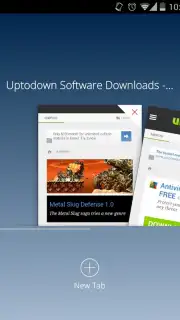
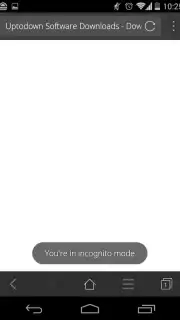
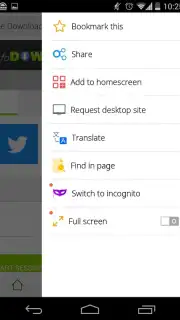

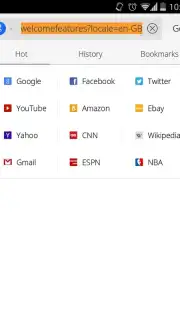

Description CM Browser
Imagine needing to download an app file directly from a website, but hesitating due to security concerns. CM Browser, developed by the security experts behind CM Security and Clean Master, is engineered for this exact scenario, transforming your Android device into a secure and efficient browsing terminal.
Core Functionality and Security Architecture
This browser is built upon a security-first architecture, directly leveraging its developer's expertise in threat detection. Its core function extends beyond simple webpage rendering to include real-time APK file analysis. Before any download completes, the integrated scanner deconstructs the APK, searching for embedded malware, trojans, and other malicious code. This provides a critical security layer for sourcing applications outside of official storefronts. The application itself maintains a minimal device footprint, requiring less than 2MB of storage for installation, which reduces background resource consumption and allows for quicker launch times compared to more monolithic browsers.
Performance and Customization Features
Performance is managed through a proprietary data acceleration mode, often labeled as Turbo, which compresses web traffic to reduce data usage and increase page load speeds on slower connections. This mode also functions as a comprehensive ad-blocker, stripping intrusive advertisements and pop-ups from web pages to create a cleaner, faster, and less distracting viewing experience. User interface customization is granular, allowing for the modification of default search engines, system-wide font changes, and the personal organization of bookmarks. For enhanced navigation, the browser supports gesture-based controls, particularly useful for managing video playback within the browser window without touching on-screen buttons.
- Real-time APK Malware Scanner: Automatically analyzes every downloaded APK file for viruses and security threats before installation.
- Turbo Mode with Ad-Block: Accelerates page loads and reduces data consumption by blocking ads and compressing web traffic.
- Ultra-Lightweight Installation: Occupies under 2MB of device storage, ensuring fast deployment and minimal space usage.
- Fully Customizable Interface: Change default search engines, system fonts, and organize bookmarks with complete personalization.
- Gesture-Based Navigation Controls: Use touch gestures to control video playback and browser actions for hands-efficient browsing.
Start securing your downloads and accelerating your browsing today. Get your advanced, lightweight browser now.
Disclaimer: This application requires an active internet connection. It may contain in-app purchases. Data fees may apply. Use of the APK scanner does not guarantee absolute security; exercise caution when downloading files from unknown sources. User data may be collected in accordance with the developer's privacy policy. This app is intended for users aged 13 and over.
Information
| Version | 5.22.21.0051 |
| Developer | Cheetah Mobile |
| Requirements | Android Android + 4.0, 4.0.1, 4.0.2+ |
| Updated | 17.03.2026 |
| Size | 5.12 MB |
| Package | com.ksmobile.cb |
| Signature | 6d28172cc5ff7cbbca6dbb42aee13cca |
| Architecture | armeabi, armeabi-v7a, x86 |


