

Групповое удаление приложений screenshots (3)
Description Групповое удаление приложений
Tired of Tapping Away? Reclaim Your Phone in Seconds
Imagine your phone's home screen cluttered with icons for apps you downloaded once, tried, and never opened again. Games from last year, fitness trackers that lost their appeal, shopping apps for stores you no longer visit. Each one takes up precious space and sits there, demanding individual attention for removal. You tap into settings, find the app, confirm the uninstall, wait, and then repeat. It’s a tedious digital chore that makes organizing your device feel like a punishment. What if you could sweep them all away in one decisive action? This is the reality offered by a focused utility designed to transform that frustrating maintenance task into a swift, satisfying purge. You regain control not through incremental steps, but with a single command.
Effortless Bulk Management at Your Fingertips
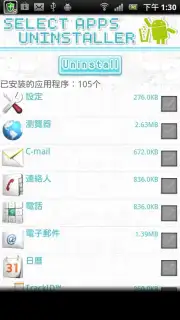
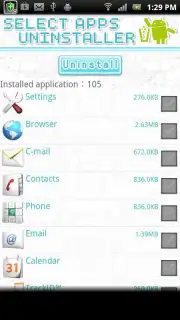
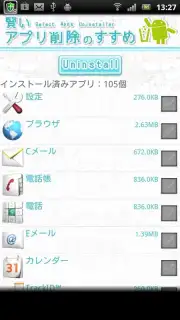
The core experience is built around a singular, powerful function: multi-select deletion. Upon launching, you are presented with a comprehensive, clean list of every application installed on your Android device. Instead of navigating through system menus, you simply browse this centralized list. The process becomes visual and direct. You tap to select the icon for a forgotten recipe app, a dated travel guide, and several redundant file managers. With each selection, you see your list of targets grow. A final tap on the delete button initiates the simultaneous removal of all selected items. You watch as the system processes the batch operation, clearing gigabytes of unused data and dozens of icons in the time it would normally take to remove just two or three apps manually. This method turns a fragmented cleanup session into a consolidated, efficient event.
A Streamlined Interface for Immediate Use
The utility prioritizes absolute clarity and speed. There are no complex menus, nested settings, or confusing options to decipher. The interface is minimal and intention-driven, ensuring you can perform the primary task without any learning curve or unnecessary navigation. The layout is designed for quick scanning—app names and icons are clearly displayed, making it easy to identify the software you wish to remove. The selection mechanism is intuitive, and critical action buttons are prominently placed. This user-centric design philosophy ensures that every interaction feels immediate and purposeful, saving you significant time and mental energy during device management.
Key Advantages of Adopting This Tool
- Delete multiple apps simultaneously
- Clean, ad-free intuitive interface
- Recover valuable storage space quickly
- Simplify regular device maintenance
Claim Your Storage and Sanity Now
Stop wasting minutes of your life on repetitive single-app uninstalls. Transform the way you manage your Android device’s ecosystem from a chore into a quick, empowering routine. This tool provides the definitive advantage for anyone who values a clean, organized, and high-performing phone. Reclaim your storage and streamline your app library with unparalleled efficiency.
Download Group Uninstall now and experience the power of batch control.
Please note: This application requires an active internet connection for initial functionality and may contain provisions for in-app purchases. It is designed for use on Android devices.
Information
| Version | 2.0.0 |
| Developer | TACOTY JP app |
| Requirements | Android Android + 8+ |
| Updated | 17.03.2026 |
| Size | 1.87 MB |
| Package | com.appall.SelectAppsUninstaller |
| Signature | 756f4e014020ee21cd2381bad3d2a658 |


