


Computer File Explorer screenshots (10)

Description Computer File Explorer
Tired of Your Phone Feeling Like a Digital Maze?
Finding a specific photo, moving a document, or cleaning up storage shouldn't feel like a chore. You tap through endless folders, get lost in cryptic system directories, and waste precious time just trying to manage your own files. What if your phone had the same powerful, intuitive file control you take for granted on your computer? That feeling of total command over your digital space is now in the palm of your hand.
Take Full Control with Desktop-Grade File Management
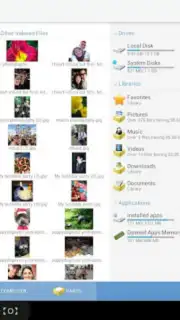
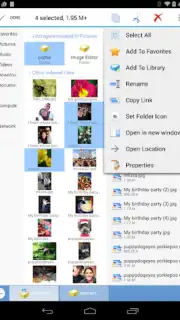
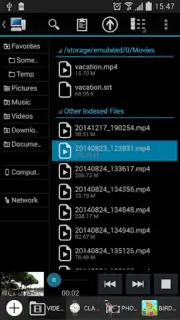
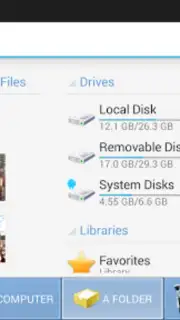
Computer File Explorer transforms your Android device into a powerhouse of organization. You navigate through your internal storage and SD card with a clean, familiar two-pane interface that makes browsing and transferring files effortless. View all your documents, images, videos, and archives in a unified space, sorted and filtered exactly how you want them. This is the centralized hub for every file operation you need, designed for clarity and speed from the moment you open it.
Key Advantages That Simplify Your Digital Life
The app is built for efficiency and reliability. You experience a streamlined workflow where every action, from zipping a folder to sharing a batch of files, is just a tap away. The interface remains clean and responsive, even when handling thousands of items, ensuring a smooth experience without lag. It’s the reliable tool you keep for the moments you need absolute control, making complex file tasks feel simple and straightforward.
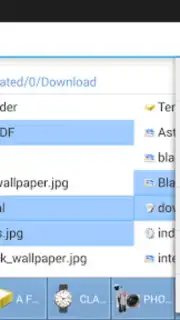
- Dual-Pane Browsing: Copy and move files between locations instantly with a side-by-side view.
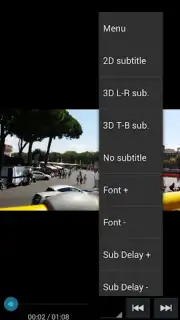
- Built-In File Viewer & Player: Open documents, images, music, and videos directly without extra apps.
- Comprehensive Search & Filters: Locate any file in seconds using advanced filters and name searches.
- Full Root Access Support: Manage system-level directories and files with elevated permissions.
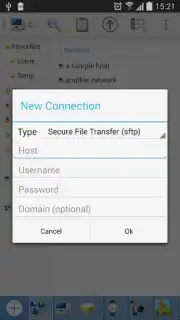
- Archive & Cloud Integration: Create ZIP/RAR files and connect to cloud storage services seamlessly.
We suggest trying Computer File Explorer to finally declutter your phone and master your files. Consider downloading it today and feel the difference of true file management power.
Requires an internet connection for certain cloud features. The app may contain optional in-app purchases for advanced functionality.
Information
| Version | 2.5.b142 |
| Developer | Byte Mobile |
| Requirements | Android Android + 5.0+ |
| Updated | 17.03.2026 |
| Size | 11.57 MB |
| Package | com.pcvirt.Computer |
| Signature | 5327edb5f9e4dee9de121d6184be42b1 |
| Architecture | universal |


