

Cute Text Photo Maker and Editor screenshots (6)
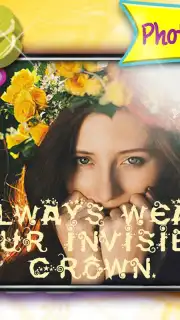

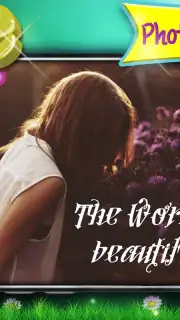
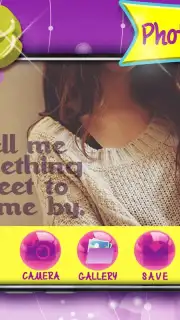

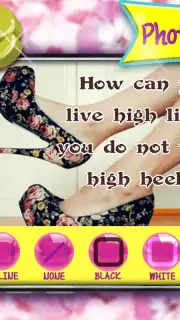
Description Cute Text Photo Maker and Editor
Looking for a straightforward way to personalize your photos with stylish captions and dates? The Cute Text Photo Maker and Editor app provides a dedicated toolkit for adding decorative text, custom watermarks, and timestamps directly onto your images. This Android application is built for users who require a functional and ad-free environment to enhance pictures quickly for social sharing or creating personalized keepsakes. It transforms standard photos into customized graphics suitable for digital cards, event announcements, or memorable date-stamped images.
Core Editing Tools and Functions
The app operates as a utility for applying textual elements to photographs. Its interface is designed for sequential editing: you select a photo, then apply layers of text with independent controls. A primary function is the text overlay system, which includes a library of font styles ranging from simple sans-serif to decorative script typefaces. Each text element can be adjusted for size, rotation, and placement anywhere on the image canvas. A separate color picker tool allows for precise hue selection for your text, enabling matching with photo tones or creating deliberate contrast.
The timestamp and date-stamping feature is a utility module that imprints a customizable time and date string onto the image. You can format this stamp and choose its position, effectively labeling photos for chronological archiving or event documentation. The watermark tool functions similarly, allowing for the creation of a semi-transparent signature or logo that can be applied to protect or brand your images. These tools work on a layer-based system, meaning text, stamps, and watermarks can be added, edited, or removed independently without affecting the original photo base.
Creative Application and Output
Beyond basic labeling, the toolset facilitates the creation of composed graphic items. By combining multiple text boxes in different fonts and colors, users can build layered messages, quotes, or greetings directly onto a photo background. This process is used to generate digital greeting cards for events like birthdays or holidays. The resulting image file, once exported, is formatted for immediate sharing to external platforms. The app prepares images in standard resolutions compatible with social media networks such as Instagram, Facebook, and Twitter, optimizing them for feed posts or stories.
The absence of advertising within the core editing workspace is a functional aspect that allows for uninterrupted sequencing of edits. This design choice prioritizes a focused workflow from photo selection to final export. The app does not require an account for basic operations, streamlining the process to import, edit, and export. Final images are saved directly to the device's gallery in common file formats, making them accessible for printing, further editing in other software, or digital sharing.
- Apply a diverse library of font styles and a full color spectrum to create custom text overlays on any photo.
- Imprint customizable date and time stamps onto images to label moments for personal archives or events.
- Create and position semi-transparent personal watermarks or signatures to brand your photographic work.
- Generate personalized digital greeting cards by combining photos with layered messages and decorative text.
- Export finished, high-resolution images directly to your device gallery or share them to major social platforms.
Download this mobile app now and start transforming your photos into labeled, personalized creations today!
A data connection may be required for initial download and certain functions. This app may offer optional in-app purchases.
Information
| Version | 1.0 |
| Developer | Cute Girly Apps |
| Requirements | Android Android + 10.9 Mavericks+ |
| Updated | 17.03.2026 |
| Size | 2.49 MB |
| Package | com.Cute.Text.Photo.Maker.Editor |
| Signature | 18eba59058428a4fabb3b0ccfb789a0b |


