


Cx File Explorer screenshots (19)


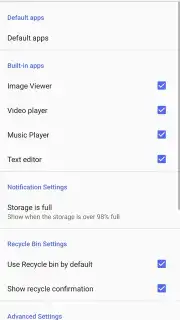
Description Cx File Explorer
A Cluttered Phone is a Slow Phone: The Search for a True File Manager
Mobile storage is a paradox. We demand devices capable of holding thousands of files, yet we are often provided with only the most rudimentary tools to manage them. The default file explorers on many Android devices offer little beyond basic viewing, leaving users to navigate a labyrinth of folders without efficient search, organization, or connectivity to other storage mediums. This lack of control transforms simple tasks—finding a downloaded document, clearing duplicate photos, or moving files to cloud storage—into frustrating exercises. The need is for a tool that acts not just as a viewer, but as a comprehensive command center for all digital assets, regardless of where they physically reside. This review examines whether Cx File Explorer fulfills that role by providing the depth of control required by power users while remaining accessible enough for daily organization.
Core Functionality and Interface Design
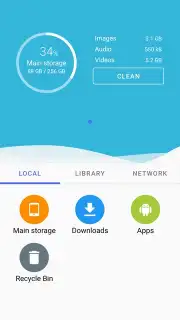
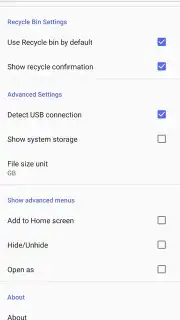
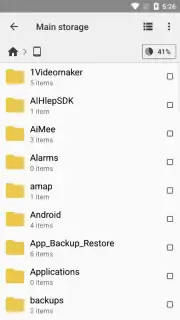
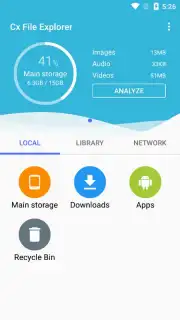
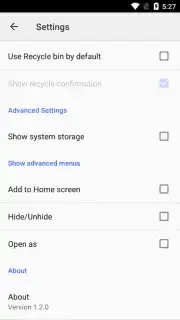
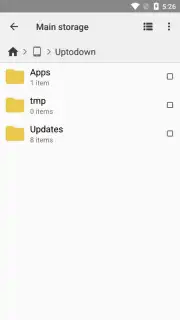
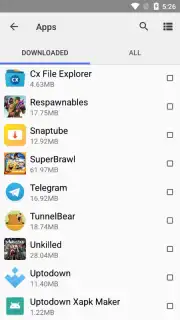
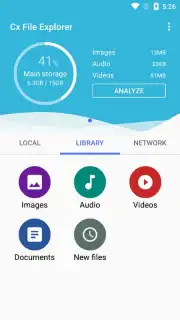
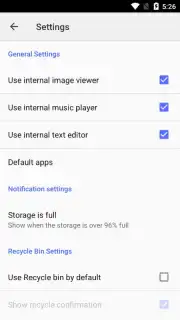
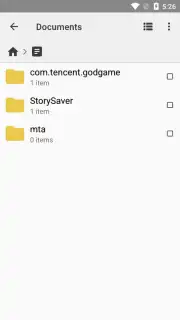
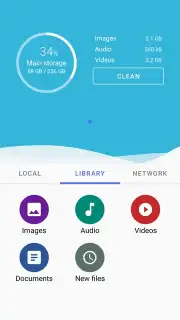
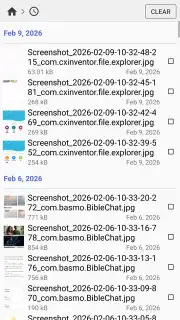
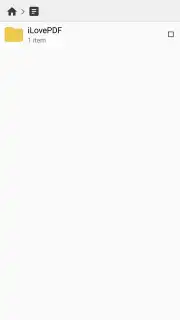
Cx File Explorer presents a modern, clean interface that defaults to a logical overview of all storage endpoints. Upon launch, it immediately aggregates internal device storage, any inserted SD cards, and provides quick-setup panels for adding networked locations. Navigation is highly customizable, allowing users to switch between detailed list views, grid views with large thumbnails for media, and a traditional directory tree. A persistent search bar and a "Go to" path field enable direct navigation to any directory without manual browsing. File operations are executed through a context menu or a multi-select mode, supporting all standard actions: copy, cut, paste, rename, delete, and share to any other installed application. Notably, it includes built-in tools for creating and extracting ZIP archives and a basic text editor for immediate .txt file modifications, eliminating the need to switch apps for minor edits.
Advanced Storage Management and Network Integration
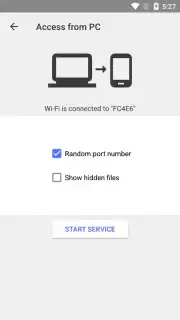
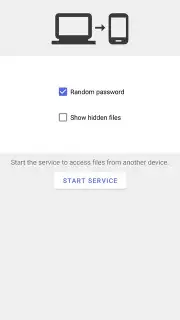
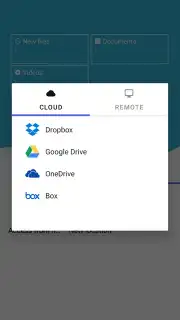
Where the application distinguishes itself is in its treatment of storage as a unified concept. The integrated storage analyzer is a systematic tool that scans designated locations and categorizes files by type, size, and last modified date. Its duplicate file finder performs a content-based check, which, while thorough and therefore time-consuming on large storage volumes, provides a verified list of redundant items with previews, allowing for safe bulk deletion. The most significant advanced feature is its extensive support for remote protocols. Users can seamlessly add and manage cloud services like Google Drive and Dropbox alongside network locations using FTP, SFTP, SMB (Windows network shares), and WebDAV. Files on these remote systems can be manipulated—copied, moved, renamed, deleted—as if they were local, with the app handling the background transfers. This integration effectively turns your phone into a mobile hub for a dispersed digital ecosystem.
Performance and Usability in Practice
In testing, the application demonstrated consistent performance. Local file operations and directory browsing were instantaneous, even within folders containing several thousand items. Connecting to an SMB network share required only the server address, username, and password, with the app successfully mounting the drive in the root directory. File transfers over Wi-Fi proceeded at expected network speeds. The storage analysis feature, as noted, is not instantaneous; a 128GB volume took approximately three minutes to fully analyze for duplicates. However, the resulting report was detailed and actionable. The interface, while feature-rich, maintains clarity through iconography and section dividers. It is also worth noting the application offers a dark theme, which is system-wide and reduces eye strain, and it is compatible with devices like the Meta Quest 2 for VR file management.
- Unified local and cloud storage access
- FTP, SFTP, SMB, and WebDAV support
- Built-in duplicate file finder
- Archive and text editing tools
Final Assessment: For Whom is This Tool Essential?
Cx File Explorer is engineered for the user who views their smartphone as a primary productivity device. It is ideal if your workflow involves regularly moving files between local storage, an SD card, and various cloud or network servers, and you require a single, robust interface to do so. It is equally suitable for the user simply seeking to deeply clean and organize a cluttered phone, thanks to its analytical tools. While beginners may not immediately use every network feature, the core file management functions are intuitive. The absence of intrusive advertising in its base form is a notable advantage over many competitors.
This level of integrated file management is typically found in premium, paid applications. For a limited time, new users can access the full suite of Cx File Explorer's advanced features—including ad-free browsing and priority cloud connection setups—at no cost. This exclusive access period is the optimal time to install and configure your complete file management system.
Download Cx File Explorer now to transform your device's storage from a chaotic repository into an organized, accessible, and powerful digital hub. This offer for full, unrestricted access is for a limited period only.
Disclaimer: The application requires an internet connection for cloud service and network protocol functionality. Some advanced features or removal of advertisements may be subject to in-app purchases. Always ensure you have a secure connection when accessing remote servers.
Information
| Version | 2.7.8 |
| Developer | Cx File Explorer |
| Requirements | Android Android 5.0+ |
| Updated | 16.09.2026 |
| Size | 10.89 MB |
| Package | com.cxinventor.file.explorer |
| Signature | 45ba0507d9824822b29951c96a93ee5285ab6909 |


