

CyanogenMod Installer screenshots (2)
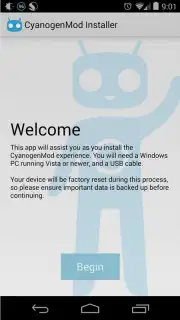
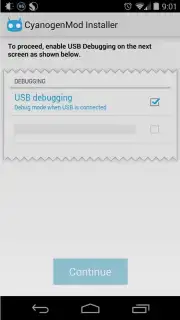
Description CyanogenMod Installer
Unlock Your Android's True Potential Without the Hassle
Imagine transforming your standard Android device into a powerhouse of customization and performance, all without navigating the risky and complex world of rooting. That’s the precise promise of the official CyanogenMod Installer. This streamlined tool is your direct gateway to the renowned CyanogenMod ROM, a sophisticated alternative operating system that replaces your device's stock software. It’s designed for users who crave advanced functionality and a refined user experience but want a safe, guided installation process directly from the CyanogenMod development team.
The core functionality revolves around a seamless, two-part installation. You begin by installing this mobile app on your Android device, which then pairs with a dedicated companion application for your Windows PC, also readily available. By simply connecting your device to the computer via a standard USB cable, the installer automates the entire procedure. It handles the download of the precise ROM file for your model and executes a clean installation, bypassing the traditional, technical hurdles. This method provides a safeguarded pathway to a system renowned for integrating cutting-edge features ahead of standard releases, potentially enhancing both device speed and stability over official firmware.
Beyond the core installation utility, transitioning to CyanogenMod introduces a suite of advanced capabilities not typically found in stock Android. This includes deep system-level customization for the interface, privacy guards for application permissions, and expanded theme engine support. The ROM itself brings technical enhancements like native support for Bluetooth Low Energy for efficient peripheral connectivity and full compatibility with OpenGL ES 3.0, enabling richer graphics performance in supported applications. It’s a comprehensive package that turns your device into a more powerful, personal, and responsive tool.
- Guided PC-Based Installation: Execute a safe ROM flash using the Windows companion app and a USB cable, eliminating complex manual steps.
- Performance & Stability Tweaks: Experience a system optimized for potential improvements in responsiveness and reliability over stock software.
- Advanced Feature Integration: Gain access to premium features like granular privacy controls and a powerful theme engine immediately upon installation.
Don't wait to revolutionize your Android experience! Download the CyanogenMod Installer mobile app now and take the first step toward a superior mobile OS. Get it immediately and unlock a new dimension of control and performance!
Heads up: you'll need a Windows PC with the companion app and a USB cable for the installation process. A stable internet connection is required to download the necessary ROM files.
Information
| Version | 1.0.1.4 |
| Developer | CyanogenMod |
| Requirements | Android Android + 2.3.3, 2.3.4+ |
| Updated | 17.03.2026 |
| Size | 191.19 KB |
| Package | org.cyanogenmod.oneclick |
| Signature | cc2598e0f8e8017364beb0c565fbea1e |
| Architecture | universal |


