


Darker screenshots (6)
Description Darker
Reduce Screen Brightness Beyond System Minimums
Many Android devices have a system brightness limit that is still too bright for low-light environments, causing unnecessary eye strain and battery drain. Darker (Screen Filter) provides a technical solution by applying a software overlay to lower screen luminance further than standard settings allow, creating optimal viewing conditions in darkness.
Core Functionality and Customization
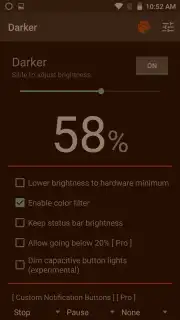
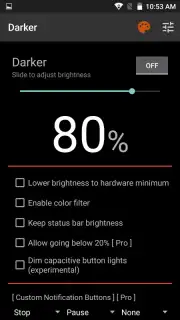
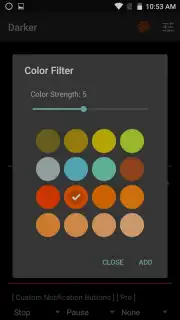
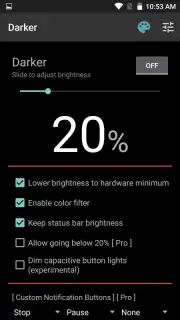
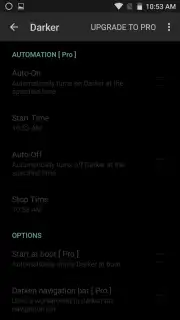
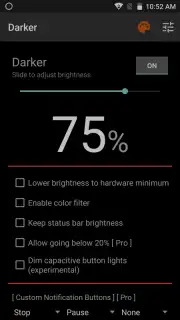
The application operates by rendering a persistent, adjustable dimming layer over all on-screen content. Users can manually select a precise brightness level via a slider, achieving near-total blackout if required. For automated use, a one-tap function sets the filter to the minimum possible brightness for the specific device hardware. A separate color filter module allows the application of tinted overlays—such as red or amber—which can reduce blue light emission. The intensity of any color filter is independently adjustable, enabling users to balance eye comfort with screen visibility.
- Manually control screen dimming beyond system limits
- Apply adjustable red or amber color filters
- Set one-tap minimum brightness for any device
Technical Considerations for Use
The primary operational consideration is visibility: setting the dimming or color filter to maximum intensity will significantly obscure screen content, making it suitable only for very dark environments or audio-only tasks. The application requires the display overlay permission to function. Performance impact on battery life is contingent on the device's display technology; OLED screens may see more pronounced savings when displaying darker colors.
We suggest trying Darker if you require finer control over screen brightness in bedrooms, cinemas, or during nighttime use.
Download the Darker (Screen Filter) mobile app now.
This application requires an Android device and uses a standard system overlay permission. It does not contain advertisements in its Turbo mode. Features are subject to change with updates.
Information
| Version | 7.0.0 |
| Developer | mlhgdevelopment |
| Requirements | Android Android + 12+ |
| Updated | 17.03.2026 |
| Size | 322.16 KB |
| Package | com.mlhg.screenfilter |
| Signature | a468b7c304b1f82a19c7f96e2eb16304 |
| Architecture | universal |


