

Data recover screenshots (4)



Description Data recover
Ever lost a precious photo or an important document and felt that sinking feeling of helplessness?
Imagine having a powerful, intuitive tool right in your pocket that can reverse that moment of panic. Data Recover transforms your Android device into a digital rescue station, designed to retrieve what you thought was gone forever. Whether it's a mistakenly deleted family video, lost contacts after an update, or formatted SD card memories, this app puts the power of professional data recovery directly into your hands. No more complex procedures or expensive services—your solution is now just a few taps away.
Your Personal Data Recovery Command Center
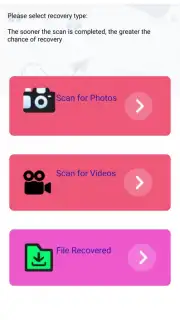
Data Recover operates with a clear, step-by-step process that guides you from scanning to restoration. You begin by selecting the type of data you wish to recover—photos, videos, documents, contacts, or messages. The app then performs a deep, non-destructive scan of your device's internal storage or connected external cards, meticulously searching for recoverable files. A clear preview system lets you verify files before restoration, ensuring you recover exactly what you need. The app works seamlessly to restore files directly to your device or to a secure cloud backup location you choose, giving you complete control over your digital legacy.
Why This Recovery Tool Stands Apart
- Comprehensive File Support: Recovers a vast array of file formats, from common JPG images and MP4 videos to PDF documents and system files, ensuring no data type is left behind.
- High Recovery Rate & Speed: Utilizes advanced scanning algorithms to maximize the chances of retrieving your files, performing quick initial scans and more thorough deep scans when needed.
- Zero-Risk Preview Function: Examine thumbnails and details of found files completely free before any recovery, so you only restore what’s valuable to you.
- User-Centric, Ad-Free Interface: Navigate through a clean, straightforward interface designed for clarity and ease of use, allowing you to focus on recovery without distractions or confusing technical jargon.
- No Root Required: Performs powerful recovery operations without needing root access to your Android device, keeping your warranty intact and your system secure.
Exclusive Access for First Users: Download the App Now!
Don't wait for the next data loss incident to leave you scrambling. For a limited time, new users gain exclusive access to Data Recover's full suite of scanning and preview features. This is your chance to equip your device with the ultimate digital safety net. Turn panic into peace of mind today—install Data Recover and make permanent data loss a thing of the past.
Download Data Recover now and reclaim your memories!
Disclaimer: Data Recover requires an internet connection for certain cloud-related functions and potential in-app purchases for full recovery features. Successful recovery cannot be guaranteed in all scenarios, particularly with physically damaged storage or overwritten data. The app requires specific permissions to scan storage. Data usage applies. This application is intended for personal, non-commercial use. Please ensure your device meets the minimum requirement of Android 7.0. User discretion is advised.
Information
| Version | 1.0 |
| Developer | dev studio |
| Requirements | Android Android + 7.0+ |
| Updated | 17.03.2026 |
| Size | 6.54 MB |
| Package | com.datarecovery.anroid |
| Signature | 250eb164f0c509675b540859b63372b1 |
| Architecture | universal |


